
이미 소장하고 있다면 판매해 보세요.
- 국내배송만 가능
- 문화비소득공제 가능
책소개
목차
|
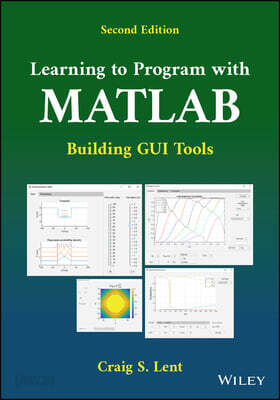
Preface to the Second Edition xiii About the Companion Website xvii I MATLAB Programming 1 1 Getting Started 3 1.1 Running the MATLAB IDE 3 Manipulating windows 5 1.2 MATLAB variables 5 Variable assignment statements 6 Variable names 7 Variable workspace 8 1.3 Numbers and functions 8 1.4 Documentation 9 1.5 Writing simple MATLAB scripts 10 Block structure 11 Appropriate variable names 11 Useful comments 11 Units 11 Formatting for clarity 12 Basic display command 12 1.6 A few words about errors and debugging 12 Error messages are your friends 13 Sketch a plan on paper first 13 Start small and add slowly 13 1.7 Using the debugger 13 Looking ahead 14 Programming Problems 14 2 Vectors and Strings 19 2.1 Vector basics 20 2.2 Operations on vectors 21 Multiplication by a scalar 21 Addition with a scalar 21 Element-by-element operation with two vectors 21 Functions of vectors 22 Length of vectors 22 Subarrays 23 Concatenating vectors 23 2.3 Special vector functions 23 Statistical Functions 24 2.4 Using rand and randi 25 2.5 String basics 25 2.6 String operations 27 2.7 Character vectors 29 2.8 Getting information from the user 30 Looking ahead 31 Programming Problems 31 3 Plotting 35 3.1 The plot command 35 Axis scaling 38 Plot labeling 39 3.2 Tabulating and plotting a simple function 39 3.3 Bar graphs and histograms 43 Histograms 45 3.4 Drawing several plots on one graph 45 Multiple plots with a single plot command 46 Combining multiple plots with a hold command 48 Thickening plotted curves 49 3.5 Adding lines and text 50 3.6 Changing object properties 52 Looking ahead 54 Programming Problems 55 4 Matrices 57 4.1 Entering and manipulating matrices 57 Size of a matrix 59 Matrix transpose 60 4.2 Operations on matrices 60 Arithmetic operations with a scalar 60 Addition and subtraction of two matrices of the same size 61 Functions of matrices 61 Matrix multiplication 62 The identity matrix 62 The inverse of a matrix 63 The determinant of a matrix 64 Matrix?vector multiplication 64 4.3 Solving linear systems: the backslash operator 65 Extended example: solving circuit problems 65 Wire segments 66 Wire junctions 66 Voltage sources 66 Resistors 67 Ground 67 4.4 Special matrix functions 71 Looking ahead 72 Programming Problems 72 5 Control Flow Commands 75 5.1 Conditional execution: the if statement 75 5.2 Logical expressions 79 5.3 Logical variables 80 5.4 for loops 81 Good programming practice 84 5.5 while loops 84 5.6 Other control flow commands 86 Switch-case statement 86 Break statement 86 Programming Problems 87 6 Animation 93 6.1 Basic animation 94 6.2 Animating function plots 98 6.3 Kinematics of motion 101 One-dimensional motion: constant speed 101 Motion with constant acceleration 104 Time-marching dynamics: nonconstant force 106 6.4 Looking ahead 108 Programming Problems 108 7 Writing Your Own MATLAB Functions 114 7.1 MATLAB function files 115 Declaring MATLAB functions 115 7.2 Function inputs and outputs 116 7.3 Local workspaces 117 7.4 Multiple outputs 117 7.5 Function files 117 7.6 Other functional forms 118 Subfunctions 118 Nested functions 122 Anonymous functions 122 7.7 Optional arguments for functions 123 7.8 Looking forward 124 Programming Problems 125 8 More MATLAB Data Classes and Structures 132 8.1 Cell arrays 132 8.2 Structures 133 8.3 Complex numbers 134 8.4 Function handles 135 8.5 Tables 135 8.6 Other data classes and data structures 136 Programming Problems 137 II Building Gui Tools 139 9 Building GUI Tools with App Designer 141 9.1 The App Designer interface 142 9.2 Getting started: HelloTool 144 9.3 Components communicating: SliderTool 148 9.4 Transforming a MATLAB program into a GUI tool: DampedEfieldTool 150 Step0: Write and debug the program 151 Step1: Plan the GUI 152 Step 2: Create the GUI in App Designer 153 Step 3: Connect program inputs and outputs to the GUI components 155 Step 4: Add callbacks to invoke the primary model function 157 9.5 Test and improve 157 Many ways to do things 159 Key points from this chapter 159 Programming Problems 160 10 More GUI Techniques 168 10.1 Sharing data between callbacks 169 10.2 More GUI components 170 Text and Numeric Edit Fields 170 Drop Down 171 Check Box 171 Label 172 List Box 172 Radio Button Group 173 Image 173 Communicating user choices 173 Tab Group 174 Menu bar 174 Toolbar 176 Text Area 176 The uses of invisibility 176 10.3 Popups 176 Progress dialogue 176 Wait bar 178 Input dialogue 178 Confirm dialogue 179 10.4 Responding to keyboard input 181 10.5 Mouse events and object dragging 181 III Advanced Topics 187 11 More Graphics 189 11.1 Logarithmic plots 189 11.2 Plotting functions on two axes 192 11.3 Plotting surfaces 194 11.4 Plotting vector fields 199 11.5 Working with images 200 Importing and manipulating bit-mapped images 200 Placing images on surface objects 207 11.6 Rotating composite objects in three dimensions 209 12 More Mathematics 213 12.1 Derivatives 214 Derivatives of mathematical functions expressed as MATLAB functions 214 Derivatives of tabulated functions 215 12.2 Integration 218 Integrating tabulated functions 218 Integrating mathematical functions expressed as MATLAB functions 221 12.3 Zeros of a function of one variable 225 12.4 Function minimization 227 Finding a minimum of a function of one variable 227 Multidimensional minimization 229 Fitting to an arbitrary function by multidimensional minimization 229 Solving simultaneous nonlinear equations by multidimensional minimization 233 12.5 Solving ordinary differential equations 235 Plotting a slope field 238 12.6 Eigenvalues and eigenvectors 239 13 Reading and Writing Files 242 13.1 Saving and loading data in .mat files 242 13.2 Reading and writing spreadsheet files 244 13.3 Writing text files 245 The write matrix command 245 Writing formatted text files 246 Formatting a string using sprintf 249 13.4 Reading data from a text file 249 Reading into a cell array 250 Reading complicated text data files 250 13.5 A GUI interface to filenames using uiputfile and uigetfile 252 Appendix Using latex Commands 255 Index 261 |
저자 소개
Craig S. Lent is The Frank M. Freimann Professor of Electrical Engineering at the University of Notre Dame, Indiana, USA. Professor Lent received his bachelor’s degree in Physics from the University of California at Berkeley, USA, and his doctorate in Physics from the University of Minnesota, Minneapolis, USA. Professor Lent has been a member of the Notre Dame faculty since 1986. His research is in the area of quantum devices, quantum information theory, and molecular-scale devices.
품목정보
- 발행일
- 2022년 09월 14일
- 쪽수, 무게, 크기
- 320쪽 | 크기확인중
- ISBN13
- 9781119900474
사락 별점0
혜택 및 유의사항밑줄0
혜택 및 유의사항상품정보안내
직수입외서의 경우, 해외거래처에서 제공하는 정보가 부족하여 제목, 표지, 가격, 유통상태 등의 정보가 미비하거나 변경되는 경우가 있습니다. 정확한 확인을 원하시는 경우, 일대일 상담으로 문의하여 주시면 답변 드리겠습니다.
(판형과 판수 등이 다양한 도서는 찾으시는 도서의 ISBN을 알려 주시면 보다 빠르고 정확한 안내가 가능합니다.)
해외거래처에서 품절인 경우, 2차 거래선을 통해 유럽과 미국 출판사로 직접 수입이 진행될 수 있습니다.
수입 진행 시점으로 부터 2~3주가 추가로 소요되며, 해외에서도 유통이 원활하지 않은 도서는 품절 안내가 지연될 수 있습니다.
해당 경우, 문자와 메일로 별도 안내를 드리고 있사오니 마이페이지에서 휴대전화번호와 메일주소를 다시 한번 확인해주시기 바랍니다.
(판형과 판수 등이 다양한 도서는 찾으시는 도서의 ISBN을 알려 주시면 보다 빠르고 정확한 안내가 가능합니다.)
해외거래처에서 품절인 경우, 2차 거래선을 통해 유럽과 미국 출판사로 직접 수입이 진행될 수 있습니다.
수입 진행 시점으로 부터 2~3주가 추가로 소요되며, 해외에서도 유통이 원활하지 않은 도서는 품절 안내가 지연될 수 있습니다.
해당 경우, 문자와 메일로 별도 안내를 드리고 있사오니 마이페이지에서 휴대전화번호와 메일주소를 다시 한번 확인해주시기 바랍니다.
64,000원
총 1개
64,000원
