
이미 소장하고 있다면 판매해 보세요.
- 국내배송만 가능
- 문화비소득공제 가능
책소개
목차
|
Chapter 1. Introduction
The Excitement of Linux Distribution and Support Commands on Linux What This Book Offers Sources and Licenses Beginner's Guide Chapter 2. System and Network Administration Overview Common Commands Overview of Networking Overview of TCP/IP Overview of Firewalls and Masquerading Overview of NFS Overview of NIS Administering NIS RPC and XDR Chapter 3. Linux Commands Alphabetical Summary of Commands Chapter 4. Boot Methods The Boot Process LILO: The Linux Loader Loadlin: Booting from MS-DOS Dual Booting Linux and Windows NT/2000 Boot-time Kernel Options initrd: Using a RAM Disk Chapter 5. Red Hat and Debian Package Managers The Red Hat Package Manager The Debian Package Manager Chapter 6. The Linux Shells: An Overview Purpose of the Shell Shell Flavors Common Features Differing Features Chapter 7. bash: The Bourne-Again Shell Overview of Features Invoking the Shell Syntax Variables Arithmetic Expressions Command History Built-in Commands Job Control Chapter 8. csh and tcsh Overview of Features Invoking the Shell Syntax Variables Expressions Command History Command-Line Manipulation Job Control Built-in csh and tcsh Commands Chapter 9. Pattern Matching Filenames Versus Patterns Metacharacters, Listed by Linux Program Metacharacters Examples of Searching Chapter 10. The Emacs Editor Introduction Typical Problems Summary of Commands by Group Summary of Commands by Key Summary of Commands by Name Chapter 11. The vi Editor Review of vi Operations vi Command-Line Options ex Command-Line Options Movement Commands Edit Commands Saving and Exiting Accessing Multiple Files Interacting with the Shell Macros Miscellaneous Commands Alphabetical List of Keys in Command Mode Syntax of ex Commands Alphabetical Summary of ex Commands vi Configuration Chapter 12. The sed Editor Conceptual Overview Command-Line Syntax Syntax of sed Commands Group Summary of sed Commands Alphabetical Summary of sed Commands Chapter 13. The gawk Scripting Language Conceptual Overview Command-Line Syntax Patterns and Procedures gawk System Variables Operators Variable and Array Assignments Group Listing of gawk Commands Alphabetical Summary of Commands Chapter 14. CVS and RCS Basic Concepts The CVS Utility CVS Administrator Reference CVS User Reference The RCS Utility Overview of RCS Commands Basic RCS Operations General RCS Specifications Alphabetical Summary of RCS Commands Chapter 15. GNOME Desktop Overview The Panel The Main Menu The GNOME Control Center Chapter 16. KDE Desktop Overview The Panel and Taskbar The KDE Control Center Chapter 17. An Alternative Window Manager: fvwm2 Running fvwm2 Configuration Files A Modular Approach How to Implement Window Manager Customizations A Quick Tour of the fvwm Environment Specifying Click-to-Type Focus Raising the Focus Window Automatically Changing the Size of the Desktop Having Multiple Desktops Making the Same Window Appear on Every Page Starting Windows on Different Desktops and Pages If It's Too Hard (or Easy) to Move the Pointer Between Pages Adding Keyboard Shortcuts Customizing Menus The FvwmWinList: Switching the Focus |
저자 소개
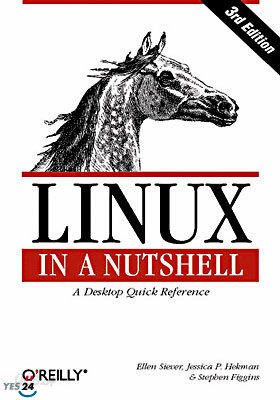
저자 : Ellen Siever
Ellen Siever is a writer and editor at O'Reilly & Associates, Inc. In addition to Linux in a Nutshell, she has co-authored Perl in a Nutshell and the Perl Modules Reference for the Unix edition of the Perl Resource Kit. She was a programmer for many years, until she decided that writing about computers was more fun.
품목정보
- 발행일
- 2000년 08월 01일
- 쪽수, 무게, 크기
- 812쪽 | 크기확인중
- ISBN13
- 9780596000257
출판사 리뷰
|
이 책의 저자, 앨렌 시버(Ellen Siever)는 이 책의 집필 목적을 다음과 같이 말하고 있다. "리눅스에 대한 폭발적인 관심은 자연스럽게 리눅스 사용자들을 증가시키고 있다. 이 책의 초판이 출간되었을 당시, 대부분의 리눅스 사용자는 유닉스에 익숙한 사람들이었기에 책의 범위가 그리 깊지 않아도 되었다. 하지만 지금의 리눅스 사용자들은 리눅스는 물론 유닉스조차도 낯선 경우가 대부분이다. 따라서 우리의 목표는 리눅스의 기본부터 깊이 있는 내용까지 누구나 쉽게 참고할 수 있는 기본적인 레퍼런스를 만드는 것이었다."
그는 이 책을 리눅스의 모든 분야를 다루는 많은 분량의 매뉴얼은 되지 못하더라도 언제라도 필요한 모든 정보를 즉시 찾아보고, 활용할 수 있도록 구성하고자 했다. 이 책은 저자의 집필 의도에 맞추어 리눅스 사용자라면 반드시 가지고 있어야 할 필독서로 구성되었다. 일반적인 리눅스 명령어들에 대한 완벽한 레퍼런스이며, 프로그래밍, 서버 및 네트워크 관리 관련 명령어들에 대해서도 체계적으로 정리하고 있다. 'Linux in a nutshell, 3rd Ed.'은 이전 판에 비해 크게 달라지지는 않았다. 이전 판과 크게 달라진 부분은 리눅스 부팅시 만나게 되는 KDE, GNOME, fvwm과 같은 그래픽 인터페이스들에 대해 다루고 있다는 점이다. 물론 그것만이 전부는 아니다. 소프트웨어를 업그레이드하고자 하는 사람들은 패키지 매니저를 사용한다. 3판에서는 레드햇 패키지 매니저(Red Hat Package Manager; RPM)에 대한 설명과 데비안 패키지 매니저(Debian Package Manager; DPKG)에 대한 새로운 부분이 추가되었다. 이 책의 이전 판이 출간되었을 때 리눅스는 윈도우 시스템과 비슷한 툴을 가진 사용자 중심의 환경을 제공하기 위해 큰 변화를 겪고 있었다. 그렇게 탄생한 리눅스 데스크탑 환경은 어려운 유닉스 명령어들을 배우지 않아도 되는, 사용자들이 좀더 쉽게 리눅스를 사용할 수 있는 환경을 제공해 주었다. 또한 패키지 관리 도구들의 개선은 소프트웨어의 업그레이드나 설치를 간편하게 해주었다. 이 책에는 상당수의 네트워킹 관련 명령어들도 추가되었다. 더하여, 표준 유닉스 도구들의 GNU 버전을 가지고 있는 유닉스 사용자들을 위해 GNU 도구들도 폭넓게 다루고 있다. |
사락 별점0
혜택 및 유의사항밑줄0
혜택 및 유의사항상품정보안내
직수입외서의 경우, 해외거래처에서 제공하는 정보가 부족하여 제목, 표지, 가격, 유통상태 등의 정보가 미비하거나 변경되는 경우가 있습니다. 정확한 확인을 원하시는 경우, 일대일 상담으로 문의하여 주시면 답변 드리겠습니다.
(판형과 판수 등이 다양한 도서는 찾으시는 도서의 ISBN을 알려 주시면 보다 빠르고 정확한 안내가 가능합니다.)
해외거래처에서 품절인 경우, 2차 거래선을 통해 유럽과 미국 출판사로 직접 수입이 진행될 수 있습니다.
수입 진행 시점으로 부터 2~3주가 추가로 소요되며, 해외에서도 유통이 원활하지 않은 도서는 품절 안내가 지연될 수 있습니다.
해당 경우, 문자와 메일로 별도 안내를 드리고 있사오니 마이페이지에서 휴대전화번호와 메일주소를 다시 한번 확인해주시기 바랍니다.
(판형과 판수 등이 다양한 도서는 찾으시는 도서의 ISBN을 알려 주시면 보다 빠르고 정확한 안내가 가능합니다.)
해외거래처에서 품절인 경우, 2차 거래선을 통해 유럽과 미국 출판사로 직접 수입이 진행될 수 있습니다.
수입 진행 시점으로 부터 2~3주가 추가로 소요되며, 해외에서도 유통이 원활하지 않은 도서는 품절 안내가 지연될 수 있습니다.
해당 경우, 문자와 메일로 별도 안내를 드리고 있사오니 마이페이지에서 휴대전화번호와 메일주소를 다시 한번 확인해주시기 바랍니다.
