
이미 소장하고 있다면 판매해 보세요.
- 국내배송만 가능
- 해외 거래처 사정에 의하여 품절/지연 가능
- 도서 정보 중 미표기 사항 안내?
- 문화비소득공제 가능
책소개
목차
|
Introduction 1 Part1: Running Your Business with QuickBooks 7 CHAPTER 1: Setting the Stage in QuickBooks 9 CHAPTER 2: Invoicing Customers and Getting Paid 25 CHAPTER 3: Processing Expenses, Bills, and Vendor Payments 57 CHAPTER 4: Tackling Payroll Chores 71 CHAPTER 5: Handling Bank Accounts, Deposits, and Transfers 89 CHAPTER 6: Exploring QuickBooks Charts and Reports 101 CHAPTER 7: Enhancing and Connecting QuickBooks 115 CHAPTER 8: Automating Repetitive Decisions 129 CHAPTER 9: Thinking with AI 141 Part2: Streamlining Everyday QuickBooks Work 153 CHAPTER 10: Overseeing Users, Custom Fields, and Multicurrency 155 CHAPTER 11: Reducing Manual Data Entry 167 Part3: Managing and Planning Your Business 179 CHAPTER 12: Optimizing Purchase Orders, Price Rules, and Inventory 181 CHAPTER 13: Tracking Performance with Projects, Classes, and Locations 195 CHAPTER 14: Formulating Budgets 207 Part4: Getting More from QuickBooks 217 CHAPTER 15: Leveraging QuickBooks Online Advanced 219 CHAPTER 16: Unlocking Advanced Tools and Taming Tasks 231 CHAPTER 17: Building Custom Charts and Reports 251 CHAPTER 18: Syncing QuickBooks Data with Excel 261 Part5: Running Your Accounting Practice 279 CHAPTER 19: Administering Your Practice 281 CHAPTER 20: Working in Clients' Books 293 CHAPTER 21: Managing Your Firm 305 Part6: Exploring QuickBooks Data with Excel 311 CHAPTER 22: Unleashing Your Data in Excel 313 CHAPTER 23: Taming QuickBooks Analysis with Power Query 325 Part7: The Part of Tens 337 CHAPTER 24: Ten Common Journal Entries 339 CHAPTER 25: Ten Things QuickBooks Won't Tell You 347 CHAPTER 26: Ten Things to Remember about AI 355 Index 365 |
저자 소개
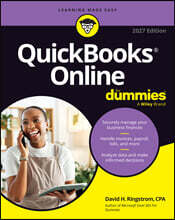
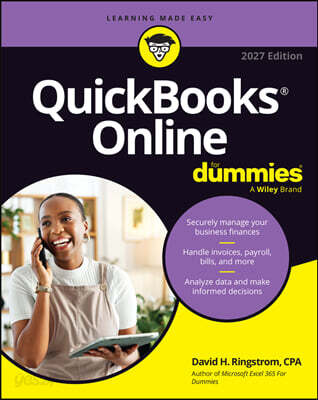
David H. Ringstrom, CPA, is an author, educator, and consultant specializing in Microsoft Excel and QuickBooks. He is the author of 11 books, including Microsoft 365 Excel For Dummies. He teaches webinars for business professionals and develops Excel curriculum for college students.
품목정보
- 발행일
- 2026년 10월 29일
- 쪽수, 무게, 크기
- 400쪽 | 크기확인중
- ISBN13
- 9781394449583
사락 별점0
혜택 및 유의사항밑줄0
혜택 및 유의사항상품정보안내
직수입외서의 경우, 해외거래처에서 제공하는 정보가 부족하여 제목, 표지, 가격, 유통상태 등의 정보가 미비하거나 변경되는 경우가 있습니다. 정확한 확인을 원하시는 경우, 일대일 상담으로 문의하여 주시면 답변 드리겠습니다.
(판형과 판수 등이 다양한 도서는 찾으시는 도서의 ISBN을 알려 주시면 보다 빠르고 정확한 안내가 가능합니다.)
해외거래처에서 품절인 경우, 2차 거래선을 통해 유럽과 미국 출판사로 직접 수입이 진행될 수 있습니다.
수입 진행 시점으로 부터 2~3주가 추가로 소요되며, 해외에서도 유통이 원활하지 않은 도서는 품절 안내가 지연될 수 있습니다.
해당 경우, 문자와 메일로 별도 안내를 드리고 있사오니 마이페이지에서 휴대전화번호와 메일주소를 다시 한번 확인해주시기 바랍니다.
(판형과 판수 등이 다양한 도서는 찾으시는 도서의 ISBN을 알려 주시면 보다 빠르고 정확한 안내가 가능합니다.)
해외거래처에서 품절인 경우, 2차 거래선을 통해 유럽과 미국 출판사로 직접 수입이 진행될 수 있습니다.
수입 진행 시점으로 부터 2~3주가 추가로 소요되며, 해외에서도 유통이 원활하지 않은 도서는 품절 안내가 지연될 수 있습니다.
해당 경우, 문자와 메일로 별도 안내를 드리고 있사오니 마이페이지에서 휴대전화번호와 메일주소를 다시 한번 확인해주시기 바랍니다.
41,440원
총 1개
41,440원
