


이미 소장하고 있다면 판매해 보세요.
- 국내배송만 가능
- 해외 거래처 사정에 의하여 품절/지연 가능
- 도서 정보 중 미표기 사항 안내?
- 문화비소득공제 가능
책소개
목차
|
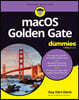
Introduction 1 Part1: Getting Started with macOS 5 CHAPTER 1: Meeting macOS Golden Gate 7 CHAPTER 2: Navigating the Desktop, Windows, and Menus 25 CHAPTER 3: Coming to Grips with the Dock 47 CHAPTER 4: Getting to Know Finder and Its Desktop 63 CHAPTER 5: Configuring Your Mac 93 Part2: Getting Things Done 113 CHAPTER 6: Opening and Saving Files 115 CHAPTER 7: Managing Files and Folders the Smart Way 135 CHAPTER 8: Maximizing Seven Terrific Time-Saving Tools 147 CHAPTER 9: Organizing Your Life 175 CHAPTER 10: Finding Your Way with Maps 197 CHAPTER 11: Using Stocks, News, Voice Memos, and Shortcuts 209 Part3: Getting Along with Others 219 CHAPTER 12: Connecting to Networks and Browsing the Web 221 CHAPTER 13: Dealing with People 245 CHAPTER 14: Communicating with Mail and Messages 257 CHAPTER 15: Sharing Your Mac with Others 287 Part4: Getting the Most Out of Your Mac 315 CHAPTER 16: Playing Music 317 CHAPTER 17: Enjoying Multimedia 333 CHAPTER 18: Maximizing Features for the Way You Work 347 CHAPTER 19: Backing Up, Securing, and Troubleshooting Your Mac 373 Part5: The Part of Tens 393 CHAPTER 20: Ten Ways to Improve Your Mac Experience 395 CHAPTER 21: Ten Tools That Make Your Life Easier 405 Index 419 |
저자 소개
Guy Hart-Davis is the author of more than 180 technical books, including several For Dummies and Teach Yourself Visually titles known for teaching anyone and everyone how to use their favorite technologies.
품목정보
- 발행일
- 2026년 10월 22일
- 쪽수, 무게, 크기
- 448쪽 | 크기확인중
- ISBN13
- 9781394457526
사락 별점0
혜택 및 유의사항밑줄0
혜택 및 유의사항상품정보안내
직수입외서의 경우, 해외거래처에서 제공하는 정보가 부족하여 제목, 표지, 가격, 유통상태 등의 정보가 미비하거나 변경되는 경우가 있습니다. 정확한 확인을 원하시는 경우, 일대일 상담으로 문의하여 주시면 답변 드리겠습니다.
(판형과 판수 등이 다양한 도서는 찾으시는 도서의 ISBN을 알려 주시면 보다 빠르고 정확한 안내가 가능합니다.)
해외거래처에서 품절인 경우, 2차 거래선을 통해 유럽과 미국 출판사로 직접 수입이 진행될 수 있습니다.
수입 진행 시점으로 부터 2~3주가 추가로 소요되며, 해외에서도 유통이 원활하지 않은 도서는 품절 안내가 지연될 수 있습니다.
해당 경우, 문자와 메일로 별도 안내를 드리고 있사오니 마이페이지에서 휴대전화번호와 메일주소를 다시 한번 확인해주시기 바랍니다.
(판형과 판수 등이 다양한 도서는 찾으시는 도서의 ISBN을 알려 주시면 보다 빠르고 정확한 안내가 가능합니다.)
해외거래처에서 품절인 경우, 2차 거래선을 통해 유럽과 미국 출판사로 직접 수입이 진행될 수 있습니다.
수입 진행 시점으로 부터 2~3주가 추가로 소요되며, 해외에서도 유통이 원활하지 않은 도서는 품절 안내가 지연될 수 있습니다.
해당 경우, 문자와 메일로 별도 안내를 드리고 있사오니 마이페이지에서 휴대전화번호와 메일주소를 다시 한번 확인해주시기 바랍니다.
49,070원
총 1개
49,070원