
소득공제
수입
직수입양서
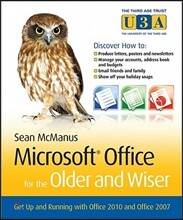
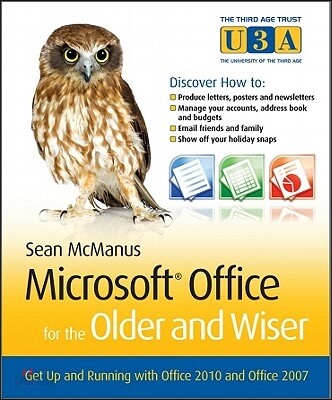
Microsoft Office for the Older and Wiser
Get up and running with Office 2010 and Office 2007
Paperback, 1st Edition
McManus, Sean
Wiley
2010.10.15.
이미 소장하고 있다면 판매해 보세요.
- 국내배송만 가능
- 해외 거래처 사정에 의하여 품절/지연 가능
- 도서 정보 중 미표기 사항 안내?
- 문화비소득공제 가능
책소개
목차
|
Introduction.
What is Microsoft Office? How this book is structured. What you will need. Familiarising yourself with the keyboard and the mouse. Choosing the right application for the job. Part I – Using Microsoft Word. Chapter 1 – Writing a letter with Microsoft Word. Starting Word. Saving your work. Writing your letter. Making changes to what you’ve written. Deleting text. Moving text around. Changing the appearance of your letter. Clearing formatting and undoing mistakes. Adding your address to your letter. Checking your spelling. Printing your letter. Finishing your Word session. What else can you do? Chapter 2 – Creating a poster with Microsoft Word. Starting a new document with a template. Changing the view. Changing the text in your template. Inserting pictures in your poster. Inserting clip art in your poster. Printing your poster. What else can you do? Chapter 3 – Publishing a newsletter with Word. Planning your newsletter. Creating dummy text. Choosing your paper size. Creating a title for your newsletter. Adding your fi rst story. Getting a sense of style. Laying out your text in columns. Arranging your images. Advanced layout options. Adding the rest of your stories. Adding a table of contents. More to explore. Download my example newsletter. What else can you do? Part II – Using Microsoft Excel. Chapter 4 – Managing your address book with Excel. What is a spreadsheet? Navigating the spreadsheet. Saving your spreadsheet. Organising your information into rows and columns. How much information to put into each cell? Putting the headers into your address book. Entering your friends into your address book. Finding people in your address book. Printing your address book. What else can you do? Chapter 5 – Creating a basic holiday budget in Excel. Starting your holiday spreadsheet. Calculating the quantities. Calculating the total cost for each item. Converting the currency. Writing your own formulae. Using your spreadsheet to plan your holiday. Adding a holiday countdown. Protecting your privacy with encryption. Copying your budget into your itinerary in Word. What else can you do? Chapter 6 – Creating personalised party invitations using Excel and Word. What is mail merge? Creating the standard invitation. Preparing your invitees list. Selecting recipients in Word. Selecting which rows of your spreadsheet to use. Adding names to your invitation. Previewing your invitations. Adding conditional content. Creating your fi nished invitations. Creating your mailing labels. What else can you do? Part III – Using Offi ce to Organise and Share Your Photos and Ideas. Chapter 7 – Creating a slide show of your holiday photos using PowerPoint. What is PowerPoint? Starting a new PowerPoint document. Previewing or showing your slide show. Familiarising yourself with the PowerPoint interface. Deleting a slide. Adding a new slide. Adding transitions and animations. Creating an instant photo album. Enabling automatic playback of your slide show. What else can you do? Chapter 8 – Keeping a recipe book with OneNote. Understanding the OneNote screen. Creating a new notebook for your recipes. How OneNote saves your work. Creating the tabs for your notebook. Adding your recipes. Capturing recipes from the Internet. Searching your recipes by ingredient. Printing recipes. What else can you do? Chapter 9 – Using email to share your ideas and documents. What is email? Setting up email on your PC. Reading your emails in Windows Live Mail. Replying to emails and sending new emails. Emailing your Microsoft Office files. What else can you do? Part IV – Appendices. Appendix A – Using keyboard shortcuts. Appendix B – Glossary. |
저자 소개
Sean McManus (Uxbridge, UK) is a technology and business author. His previous books include, Social Networking for the Older and Wiser, Small Business Websites That Work (Prentice Hall) and the co-authored Customer Service Pocketbook (with Tony Newby, Management Pocketbooks). As a journalist, Sean has written tutorials and feature articles for magazines including Internet Magazine (where he was staff writer), Internet Works, Business 2.0, Start and Run Your Business, Making Music, Melody Maker and Personal Computer World.
관련 분류
품목정보
- 발행일
- 2010년 10월 15일
- 쪽수, 무게, 크기
- 320쪽 | 599g | 175*211*16mm
- ISBN13
- 9780470711965
리뷰/한줄평0
상품정보안내
직수입외서의 경우, 해외거래처에서 제공하는 정보가 부족하여 제목, 표지, 가격, 유통상태 등의 정보가 미비하거나 변경되는 경우가 있습니다. 정확한 확인을 원하시는 경우, 일대일 상담으로 문의하여 주시면 답변 드리겠습니다.
(판형과 판수 등이 다양한 도서는 찾으시는 도서의 ISBN을 알려 주시면 보다 빠르고 정확한 안내가 가능합니다.)
해외거래처에서 품절인 경우, 2차 거래선을 통해 유럽과 미국 출판사로 직접 수입이 진행될 수 있습니다.
수입 진행 시점으로 부터 2~3주가 추가로 소요되며, 해외에서도 유통이 원활하지 않은 도서는 품절 안내가 지연될 수 있습니다.
해당 경우, 문자와 메일로 별도 안내를 드리고 있사오니 마이페이지에서 휴대전화번호와 메일주소를 다시 한번 확인해주시기 바랍니다.
(판형과 판수 등이 다양한 도서는 찾으시는 도서의 ISBN을 알려 주시면 보다 빠르고 정확한 안내가 가능합니다.)
해외거래처에서 품절인 경우, 2차 거래선을 통해 유럽과 미국 출판사로 직접 수입이 진행될 수 있습니다.
수입 진행 시점으로 부터 2~3주가 추가로 소요되며, 해외에서도 유통이 원활하지 않은 도서는 품절 안내가 지연될 수 있습니다.
해당 경우, 문자와 메일로 별도 안내를 드리고 있사오니 마이페이지에서 휴대전화번호와 메일주소를 다시 한번 확인해주시기 바랍니다.
