
이미 소장하고 있다면 판매해 보세요.
- 해외배송 가능?
- 문화비소득공제 가능
이 상품의 시리즈 7
이 상품의 시리즈 알림신청

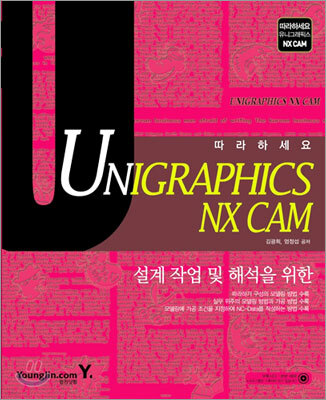



책소개
목차
|
Chapter 01 CAD/CAM 일반
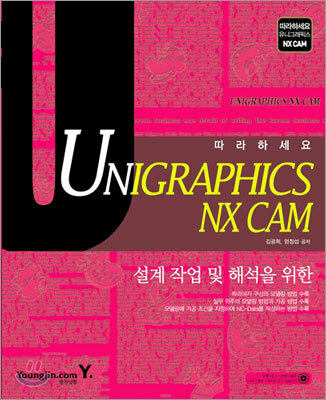
Section 01 | 과학 기술 분야 1 Mechatronics (Mechanics+Electronics) 2 CAD/CAM 3 CAD/CAM 분류 4 CAD/CAM 시스템의 필요성 5 CAD/CAM 응용분야 6 CAD/CAM 시스템의 효과 Section 02 | CAD/CAM 분야 1 CAD/CAM의 역사 2 CAM의 언어 구성 3 CAD/CAM 시스템 4 CAM이 갖추어야 할 기능들 5 CAD/CAM 전망 Section 03 | 관련용어 설명 3 Chapter 02 Unigraphics Section 01 | Unigraphics 소개 1 Unigraphics 게이트웨이 2 Unigraphics의 모듈 Section 02 | Unigraphics 사용하기 1 Part 시작하기와 종료 및 닫기 2 화면 구성 3 도구모음(Toolbars) 4 Preselection(미리 선택) 5 여러 개 선택 후보(Multiple Selection Candidates) 6 마우스 버튼과 팝업 메뉴 7 Selection(선택) Section 03 | Unigraphics 작업 순서 1 기본체 작성하기 2 스케치 이용하기 3 구멍 뚫고 배열하기 4 피처 다듬기 5 도면 만들기 6 도면에 치수 넣기 7 부품 조립하기 8 분해 전개도 만들기 Chapter 03 WCS, Boolean Operation, Datum Section 01 | 좌표계 1 좌표계 개념 2 좌표계의 종류 3 작업좌표계(WCS) 사용하기 Section 02 | 부울 연산 1 Unite(결합) 2 Subtract(빼기) 3 Intersect(교차) Section 03 | Datums(데이텀) 1 Datum Plane(데이텀 평면) 2 Datum Axis(데이텀축) 3 Datum CSYS(데이텀 CSYS) Chapter 04 Curve Section 01 | Point Constructor 1 Point Constructor Option 2 점 작성 및 위치 지정 3 점을 지정하는 Point 아이콘들 Section 02 | 기본 곡선 그리기 1 점(point) 2 직선(Line) 3 원(circle) 4 필릿(Fillet) 5 Trim(자르기) 6 Edit Curve Parameters(곡선 매개변수 편집) 7 Spline(스플라인) 8 Rectangle(직사각형) 9 Ellipse(타원) 10 Polygon(다각형) 11 Offset(간격띄우기) 12 Bridge Curve(연결 곡선) 13 Simplify(단순화) 14 Join(연결) 15 Project(투상) 16 Intersection(교차) Chapter 05 Form Feature(피처 형상) Section 01 | Extrude와 Revolve 1 Extrude(블록) 2 Revolve(회전) Section 02 | 기본체 1 Block(블럭) 2 Cylinder(원기둥) 3 Cone(원뿔) 4 Sphere(구) Section 03 | 그밖의 피처 1 Hole(구멍) 2 Boss(보스;원형 돌기) 3 Pocket(포킷) 4 Pad(패드;사각 돌기) 5 Sweep along Guide(가이드를 따라 스윕) 6 Extract(추출) 7 Bounded Plane(경계 평면) Chapter 06 Feature Operation(피처 오퍼레이션) 작성 Section 01 | Taper(테이퍼) 1 Faces(면) 2 From Edges(모서리로부터) 3 Tangent to Faces(면에 접선) Section 02 | Blend 1 Edge Blend(모서리 혼합: 모서리 블렌드) 2 Face Blend(면 혼합; 면 블렌드) Section 03 | 그 밖의 피처 수정 1 Chamfer(모따기) 2 Hollow(중공 피처; 속 빈 피처) 3 Trim(트림; 자르기) 4 Split(분할; 나누기) 5 Thread(나사) Section 04 | 배열하기- Instance(인스턴스) 1 Rectangular Array(직사각형 배열) 2 Circle Array(원형 배열) Section 05 | 결합하기와 자르기 1 Sew(결합) 2 Patch(패치) 3 Offset Face(옵셋 면) Chapter 07 Free Form Feature Section 01 | 서피스 피처 1 Ruled(연결) 2 Through Curve(통과 곡선) 3 Through Curve Mesh(통과 곡선 메시) 4 Swept(스윕) 5 Bridge(연결) 6 Extension(연장) 7 Offset(옵셋) 8 Trimmed Sheet(트림된 시트) 9 Fillet(필릿) Chapter 08따라하기 Section 01 | Curve 따라하기 1 Section 02 | Curve 따라하기 2 Section 03 | Modeling 따라하기 Section 04 | Layer 따라하기 Chapter 09Edit 및 환경설정 Section 01 | Delete와 Blank 1 Delete(삭제) 2 Blank(숨기기) Section 02 | Transform(변환) 1 Translate 2 Scale(배율) 3 Rotate About a Point(점에 대한 회전) 4 Mirror Through a Line(선대칭) 5 Rectangular Array(직사각형 배열) 6 Circular Array(원형 배열) 7 Rotate About a Line(선에 대한 회전) 8 Mirror Through a Plane(평면 대칭) Section 03 | 환경 설정하기 1 Millimeters 설정하기 2 바탕화면 색상 바꾸기 3 화면 넓히기 4 Line 설정하기 5 Dialog Bar 좌표값 고정시키기 Chapter 10NC 가공 Section 01 | 개 요 1 가공 용어 2 가공관련 데이터(Data) 3 Operations과 공구 경로 정보 4 Cutter Location Source File(CLSF)과 CLSF Format 5 좌표계(Coordinate Systems) 6 가공 환경(Machining Environment) 지정 방법 Section 02 | Manufacturing Application 상호 작용 1 Operation 작성 2 Create Operation 대화상자 3 Parents 및 Operation Section 03 | Operation Navigator 1 Operation Navigator 기호와 열(Columns) 2 연계(Inheritance) 3 Operation Navigator Preferences 대화상자 4 Operation Navigator 뷰 Section 04 | Create Tool 대화상자 1 Create Tool 대화상자와 Tool 불러오기 2 Create Method와 Geometry Section 05 | 공통 절차(Common Procedures) 1 공통 가공 절차 2 Geometry 3 Cut Method 4 Stepover 5 Tool 경로 옵션 6 프로세스 디스플레이 매개변수 7 Engage와 Retract 이동 설정 8 Automatic Engage/Retract 지정 대화상자 9 Cutting Section 06 | Operation 종류 1 Operation 종류의 비교 2 Planar Mill Operation 3 Tool 경로 정보 출력 4 Cavity Mill Operation 5 Fixed Controur Operation Section 07 | Drilling 1 용어 2 Cycle이란 3 Cycle Parameter Set 4 드릴링 Geometry의 선택 5 Part 파일 6 Tool 경로 최적화 7 Over Sized 구멍 드릴링 Chapter 11NC DATA 작성하기 Section 01 | Mouse 형상 만들기 Section 02 | Boundary 따라하기 Section 03 | Cavity_Mill 가공하기 Section 04 | Press_3 따라하기 Section 05 | 가공 따라하기 부록 | |
관련 분류
- 카테고리 분류
품목정보
- 발행일
- 2005년 06월 17일
- 쪽수, 무게, 크기
- 488쪽 | 1130g | 크기확인중
- ISBN13
- 9788931431223
