
이미 소장하고 있다면 판매해 보세요.
- 국내배송만 가능
- 해외 거래처 사정에 의하여 품절/지연 가능
- 도서 정보 중 미표기 사항 안내?
- 문화비소득공제 가능
이 상품의 태그
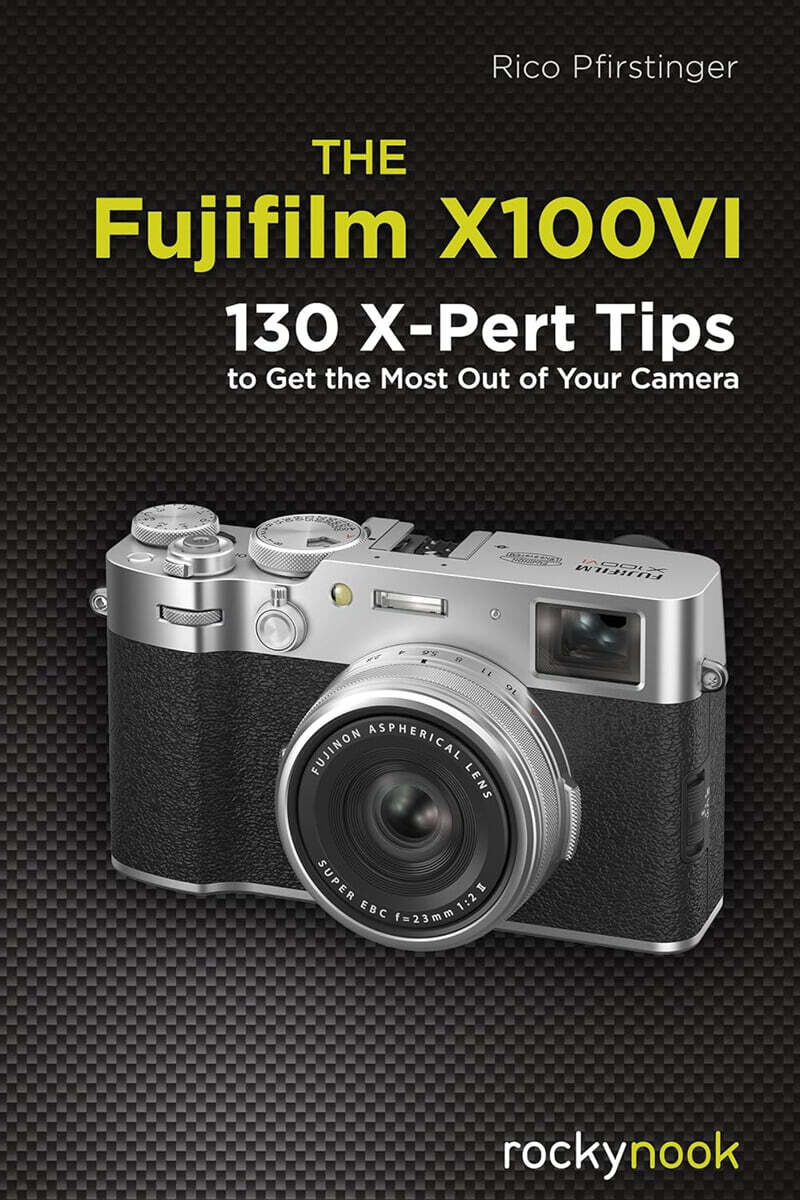
책소개
목차
|
1. Your Fujifilm X100VI 1
Tip 1 RTFM! Read The Fuji Manual! 2 Tip 2 Spare batteries and third-party knockoffs 3 Tip 3 Chargers and power supplies 4 Tip 4 Which memory cards to use 6 Tip 5 Where to find the latest firmware 7 Tip 6 Updating your firmware 7 Tip 7 Wireless firmware updates using Bluetooth and Wi-Fi 8 Tip 8 Use Boost model 8 Tip 9 Keeping the sensor clean 11 Tip 10 Pixel mapping 11 Tip 11 Using IBIS 12 Tip 12 Wide-angle and tele conversion lenses 14 Tip 13 What you should know about digital lens corrections 17 Tip 14 Use a lens hood! 18 Tip 15 Lens protection filters 20 Tip 16 Remote shutter release options 22 Tip 17 Optional Area Swiss handgrips 23 Tip 18 Rectangular filter holder and filters 23 Tip 19 Diffusion filters 25 Tip 20 Fisheye Fun 28 2. Using the Fujifilm X100VI 31 2.1 Ready, Set, Go! 31 Tip 21 Recommended settings for your X100VI 32 Tip 22 Avoiding the camera menus: practical shortcuts for your X100VI 40 Tip 23 Suggested Fn button assignments 44 Tip 24 Recommended My Menu and Quick menu configuration 46 Tip 25 Working with custom settings 48 Tip 26 Shoot FINE+RAW or NORMAL+RAW! 50 Tip 27 Compressed or uncompressed RAW files? 55 Tip 28 Picking different image aspect ratios 56 Tip 29 The magical half-press 58 2.2 Monitor and Viewfinder 59 Tip 30 Make use of the eye sensor! 60 Tip 31 Instant review 60 Tip 32 The DISP/BACK button can be tricky! 61 Tip 33 WYSIWYG-What You See Is What You Get! 62 Tip 34 Using the Natural Live View 64 Tip 35 Using the OVF 65 Tip 36 Using the ERF 69 Tip 37 Using the LCD touchscreen 71 2.3 Exposing Right 73 Tip 38 Choosing the right metering method 74 Tip 39 Linking spot metering to focus frames 78 Tip 40 Using the live view and live histogram 81 Tip 41 Auto exposure (AE) with modes P, A, and S 84 Tip 42 Using manual exposure M 86 Tip 43 Using aperture priority A 89 Tip 44 Using shutter priority S 90 Tip 45 Using program AE P and program shift 92 Tip 46 Playing it safe with auto exposure bracketing 93 Tip 47 Long exposures 95 Tip 48 Long exposures in bright daylight? 96 Tip 49 ISO settings-what's the deal? 99 Tip 50 What you should know about extended ISO 105 Tip 51 Auto-ISO and minimum shutter speed 107 Tip 52 Auto-ISO in manual mode M: the "misomatic" mode 110 Tip 53 Extending the dynamic range 112 Tip 54 Extending the dynamic range for RAW shooters 117 Tip 55 JPEG settings for RAW shooters 119 Tip 56 Extending the dynamic range for JPEG shooters 121 Tip 57 High-contrast scenes: Using the DR function to the benefit of RAW shooters 125 Tip 58 DR versus DR-P 133 Tip 59 Using DR-P for high-contrast daylight scenes 135 Tip 60 Dual conversion gain and how to use it 138 Tip 61 Using the DR function for high-key photography 140 Tip 62 Creating HDR images 143 Tip 63 Using the built-in HDR function 144 Tip 64 Using the electronic shutter 153 Tip 65 The leaf shutter: pros and cons 154 Tip 66 Using flicker reduction features 156 Tip 67 Using Multiple Exposure mode 157 Tip 68 Adv. Filters: exposing with creative filters 158 Tip 69 Motion panoramas 159 2.4 Focusing with the X100VI 162 Tip 70 CDAF and PDAF: what's the difference? 163 Tip 71 AF-S or AF-C? 165 Tip 72 Single Point AF vs. Zone AF vs. Wide/Tracking AF 166 Tip 73 Correct focus stick configuration 168 Tip 74 Selecting an AF frame or AF zone 169 Tip 75 Choosing a suitable AF frame or AF zone size 171 Tip 76 Manual focus and DOF zone focusing 173 Tip 77 Manual focus assistants 176 Tip 78 Using the Focus Check magnifier tool 177 Tip 79 Using Instant AF-S and Instant AF-C 178 Tip 80 Using AF+MF 180 Tip 81 Pre-AF: a relic of the past 181 Tip 82 Using face/eye detection and subject detection 183 Tip 83 Face/subject detection and the underlying fallback autofocus mode 188 Tip 84 Using AF-ON (back-button focusing) 191 Tip 85 Focusing in poor light 192 Tip 86 Macro: focusing at close distances 194 Tip 87 Focus Bracketing 196 Tip 88 Limiting the autofocus range 201 Tip 89 Focusing on moving subjects (1): the autofocus trick 201 Tip 90 Focusing on moving subjects (2): the focus trap 204 Tip 91 Focusing on moving subjects (3): AF-C tracking using Single Point AF, Zone AF, or Tracking AF 207 Tip 92 Tracking AF vs, face/eye and subject detection tracking 210 Tip 93 Using AF-C custom settings 212 Tip 94 Focus Priority vs. Release Priority 215 Tip 95 Using Pre-Shot ES 216 Tip 96 Using Sports Finder Mode 217 2.5 White Balance, Jpeg Settings, Recipes/And Raw Conversion 218 Tip 97 JPEG and RAW converter settings-an overview 219 Tip 98 Basic white balance options 221 Tip 99 Custom white balance: a little effort can go a long way 224 Tip 100 Changing color tints with WB SHIFT 225 Tip 101 White balance and monochrome images 227 Tip 102 Using film simulations 228 Tip 103 Using the GRAIN EFFECT 240 Tip 104 Contrast settings: adjusting highlights and shadows 242 Tip 105 Color saturation 243 Tip 106 The COLOR CHROME EFFECT 244 Tip 107 MONOCHROMATIC COLOR: adding color tints to monochrome images 246 Tip 108 Using the SMOOTH SKIN EFFECT 247 Tip 109 Be careful with CLARITY! 249 Tip 110 Color space: sRGB or Adobe RGB? 251 Tip 111 Working with the built-in RAW converter 252 Tip 112 Working with X RAW STUDIO 256 Tip 113 Working with film simulation recipes 259 Tip 114 Achieving that "retro look" 262 2.6 Flash Photography 265 Tip 115 Understanding flash modes 267 Tip 116 Controlling the ambient-light component 269 Tip 117 Controlling the flash-light component 275 Tip 118 Front-curtain vs. rear-curtain flash synchronization 276 Tip 119 Flash synchronization: what's the limit? 277 Tip 120 Red-eye removal 279 Tip 121 Using TTL-Lock 279 Tip 122 Perfect companion: the Fujifilm EF-X20 280 Tip 123 Big brother: the Fujifilm EF-X500 283 Tip 124 Generic third-party flash units 284 Tip 125 Fujifilm-compatible third-party flash units 284 Tip 126 "In your face" flash photography 286 2.7 Connectivity 288 Tip 127 Using the XApp 288 Tip 128 Streaming the live view via HDMI 289 Tip 129 USB video conferencing 289 2.8 Anything Else? 290 Tip 130 Forums, blogs, magazines, and workshops 290 Online References 291 Index 295 |
저자 소개 1
Rico Pfirstinger
커뮤니케이션을 전공하고 1980년대 중반부터 저널리스트, 홍보 담당자, 사진작가로 활동해왔다. 독일 뮌헨의 후베르트 부르다 미디어Hubert Burda Media에서 특수 업무 부서장으로 근무했으며, 동계 스포츠 웹사이트의 편집장을 역임했다. 로스앤젤레스에서 8년간 프리랜서 영화 평론가로 활동한 후 현재는 독일에 거주하며 디지털 사진 및 컴팩트 카메라 시스템에 전념하고 있다. 현재 ‘엑스퍼트 코너X-Pert Corner’ 블로그를 운영하고 ‘후지 X 시크리츠Fuji X Secrets’라는 워크숍을 진행하며 후지필름 X 시리즈 카메라 사용에 대한 팁과 노하우를 알리고 있다. 또한
커뮤니케이션을 전공하고 1980년대 중반부터 저널리스트, 홍보 담당자, 사진작가로 활동해왔다. 독일 뮌헨의 후베르트 부르다 미디어Hubert Burda Media에서 특수 업무 부서장으로 근무했으며, 동계 스포츠 웹사이트의 편집장을 역임했다. 로스앤젤레스에서 8년간 프리랜서 영화 평론가로 활동한 후 현재는 독일에 거주하며 디지털 사진 및 컴팩트 카메라 시스템에 전념하고 있다. 현재 ‘엑스퍼트 코너X-Pert Corner’ 블로그를 운영하고 ‘후지 X 시크리츠Fuji X Secrets’라는 워크숍을 진행하며 후지필름 X 시리즈 카메라 사용에 대한 팁과 노하우를 알리고 있다. 또한 《후지러브 FUJILOVE》 매거진의 ‘기어 토크Gear Talk’ 섹션에 정기적으로 기고하고 있다.
품목정보
- 발행일
- 2025년 03월 25일
- 쪽수, 무게, 크기
- 312쪽 | 630g | 152*229*23mm
- ISBN13
- 9798888142738
사락 별점0
혜택 및 유의사항밑줄0
혜택 및 유의사항상품정보안내
직수입외서의 경우, 해외거래처에서 제공하는 정보가 부족하여 제목, 표지, 가격, 유통상태 등의 정보가 미비하거나 변경되는 경우가 있습니다. 정확한 확인을 원하시는 경우, 일대일 상담으로 문의하여 주시면 답변 드리겠습니다.
(판형과 판수 등이 다양한 도서는 찾으시는 도서의 ISBN을 알려 주시면 보다 빠르고 정확한 안내가 가능합니다.)
해외거래처에서 품절인 경우, 2차 거래선을 통해 유럽과 미국 출판사로 직접 수입이 진행될 수 있습니다.
수입 진행 시점으로 부터 2~3주가 추가로 소요되며, 해외에서도 유통이 원활하지 않은 도서는 품절 안내가 지연될 수 있습니다.
해당 경우, 문자와 메일로 별도 안내를 드리고 있사오니 마이페이지에서 휴대전화번호와 메일주소를 다시 한번 확인해주시기 바랍니다.
(판형과 판수 등이 다양한 도서는 찾으시는 도서의 ISBN을 알려 주시면 보다 빠르고 정확한 안내가 가능합니다.)
해외거래처에서 품절인 경우, 2차 거래선을 통해 유럽과 미국 출판사로 직접 수입이 진행될 수 있습니다.
수입 진행 시점으로 부터 2~3주가 추가로 소요되며, 해외에서도 유통이 원활하지 않은 도서는 품절 안내가 지연될 수 있습니다.
해당 경우, 문자와 메일로 별도 안내를 드리고 있사오니 마이페이지에서 휴대전화번호와 메일주소를 다시 한번 확인해주시기 바랍니다.
48,350원
총 1개
48,350원
