
이미 소장하고 있다면 판매해 보세요.
- 해외배송 가능?
- 문화비소득공제 가능
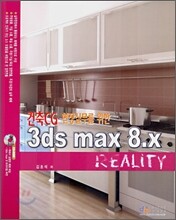
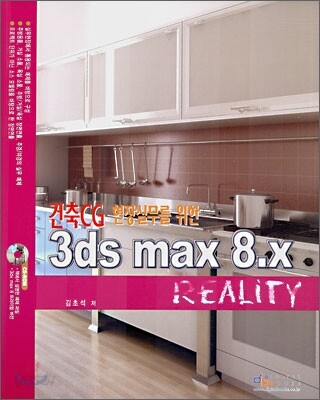
책소개
목차
|
[Part 01 3ds max 8.X 기본 명령 및 화면구성]
Chapter 01 3ds max 화면구성 - Main Toolbar Lesson 01 Undo Lesson 02 Redo Lesson 03 Select and Link Lesson 04 Unlink Selection Lesson 05 Bind to Space Warp Lesson 06 Selection Filter Lesson 07 Selection Object Lesson 08 Select by Name Lesson 09 Rectangle Selection Region Lesson 10 Window / Crossing Lesson 11 Move Gizmo Lesson 12 Rotate Gizmo Lesson 13 Scale Gizmo Lesson 14 Reference Coordinate System -Section 01 View -Section 02 Screen -Section 03 World -Section 04 Parent -Section 05 Local -Section 06 Gimbal -Section 07 Grid -Section 08 Pick Lesson 15 Use Pivot Center -Section 01 Use Pivot Point Center -Section 02 Use Selection Center -Section 03 Use Transform Coordinate Center Lesson 16 Selection and Manipulate Lesson 17 Snap Toggle Lesson 18 Angle Snap Toggle Lesson 19 Percent Snap Toggle Lesson 20 Spinner Snap Toggle Lesson 21 Named Selection Set Lesson 22 Name Selection Set Lesson 23 Mirror Selected Objects Lesson 24 Align Fly Out -Section 01 Align -Section 02 Quick Align -Section 03 Normal Align -Section 04 Place Highlight -Section 05 Align Camera -Section 06 Align to View Chapter 02 Viewport Control Lesson 01 Viewport의 크기 조정 Lesson 02 Viewport에서 쓰이는 유용한 단축키 -Section 01 F3 Wireframe / Smooth + Highlights Toggle -Section 02 F4 View Edged Faces Toggle -Section 03 O Adaptive Degradation Toggle -Section 04 G Hide GrIDs Toggle -Section 05 D Disable Viewport -Section 06 [ Zoom Viewport In -Section 07 ] Zoom Viewport Out Lesson 03 마우스를 이용한 Viewport 조정 Lesson 04 Viewport Control Lesson 05 Viewport Configuration Chapter 03 Edit Spline (Editable Spline) - 3ds max 2D 사용하기 Lesson 01 2D Shape Rendering 롤아웃 -Section 01 Rendering -Section 02 Interpolation -Section 03 Selection -Section 04 Soft Selection Lesson 02 Vertex, Segment, Spline의 수정 명령 -Section 01 Vertex -Section 02 Segment -Section 03 Spline Chapter 04 Edit Poly (Editable Poly) Lesson 01 Selection 롤아웃 Lesson 02 Editable Poly Object Level Lesson 03 Editable Vertex Level -Section 01 Edit Vertices 롤아웃 -Section 02 Edit Geometry 롤아웃 Lesson 04 Editable Poly Edge Level Lesson 05 Editable Poly Border Level -Section 01 Edit Borders 롤아웃 Lesson 06. Editable Poly Polygon / Element Level -Section 01 Edit Polygon 롤아웃 -Section 02 Polygon Properties 롤아웃 [Part 02 3ds max의 재질편집기] Chapter 01 Material Editor Lesson 01 Material Editor Sample Slot -Section 01 Sample Slot 바꾸기 -Section 02 Sample Slot 위치 이동하기 -Section 03 Sample Slot 복사하기 Lesson 02 Materials Editor의 툴바 Lesson 03 Shader Basic Parameters Lesson 04 Basic Parameters / Extended Parameters -Section 01 Anisotropic -Section 02 Blinn Parameters -Section 03 Metal Basic Parameters -Section 04 Multi-Layer Basic Parameters -Section 05 Oren-Nayar-Blinn Basic Parameters -Section 06 Phong Basic Parameters -Section 07 Strauss Basic Parameters -Section 08 Translucent Basic Parameters -Section 09 Extended Parameters -Section 10 Maps Lesson 05 Material Type ( Material / Map Browser ) -Section 01 Advanced Lighting Override Material -Section 02 Architectural -Section 03 Blend -Section 04 Composite -Section 05 Double Sided -Section 06 Ink'n Paint -Section 07 Lightscape Mtl -Section 08 Matte / Shadow -Section 09 Morpher -Section 10 Multi / Sub-Object -Section 11 Raytrace -Section 12 Shell Material -Section 13 Shellac -Section 14 Standard -Section 15 Top / Bottom -Section 16 Xref Material Lesson 06 2D Map (Material / Map Browser) -Section 01 Bitmap -Section 02 Checker -Section 03 Gradient -Section 04 Gradient Ramp -Section 05 Tiles Lesson 07 건축에서 자주 쓰이는 재질의 종류와 표현기법 -Section 01 Grass (유리) -Section 02 Wood (무늬목) -Section 03 Fabric (옷감, 천) -Section 04 Tile (타일) -Section 05 Metal (금속) Lesson 08 UVW Map 좌표 [Part 03 3ds max Light & Camera] Chapter 01 3ds max Light Lesson 01 3점 조명 ( Three Point Lighting ) -Section 01 주광 (Key Light) -Section 02 반사광 (Back Light) -Section 03 채움광 (Fill Light) Lesson 02 3ds max의 Light 종류 -Section 01 Spot Light -Section 02 Direct Light -Section 03 Omni Light Lesson 03 Light 옵션 -Section 01 General Parameters -Section 02 Intensity / Color / Attenuation -Section 03 Advanced Effects -Section 04 Shadow Parameters -Section 05 Shadow Map Parameters -Section 06 Atmospheres & Effects -Section 07 Spot Light / Direct Light -Section 08 Sky Light -Section 09 Shadow에 따른 롤아웃 Lesson 04 Photometric Light -Section 01 Point Light (Target Point, Free Point) -Section 02 Linear Light (Target Linear, Free Linear) -Section 03 Area Light (Target Area, Free Area) -Section 04 IES Sun Parameters -Section 05 IES Sky Parameters -Section 06 Photometric Lights의 옵션 -Section 07 IES Sun -Section 08 IES Sky -Section 09 System의 Sunlight & Day Light Chapter 02 3ds max Camera Lesson 01 Parameters Lesson 02 Depth Of Field Parameters -Section 01 Focal Depth Group -Section 02 Sampling Group -Section 03 Pass Blending Group -Section 04 Scanline Renderer Params Group Lesson 03 Camera의 Quad Menu Correction Modify -Section 01 Camera Correction Modifier [Part 04 3ds max Render Scene] Chapter 01 Render Scene Lesson 01 Common 탭 -Section 01 Production -Section 02 Preset -Section 03 Activeshade -Section 04 Viewport -Section 05 Lock View -Section 06 Common Parameters -Section 07 Email Notifications -Section 08 Scripts -Section 09 Assign Renderer Lesson 02 Renderer 탭 Lesson 03 Render Elements Lesson 04 Raytracer Global Parameters Lesson 05 Advanced Lighting Chapter 02 Advanced Lighting (Light Tracer & Radiosity) Lesson 01 Light Tracer -Section 01 Light Tracer Parameters Lesson 02 Radiosity -Section 01 Radiosity Processing Parameters -Section 02 Interactive Tools -Section 03 Radiosity Meshing Parameters -Section 04 Light Painting -Section 05 Rendering Parameters Lesson 03 Exposure Control -Section 01 Automatic Exposure Control / Linear Exposure Control / Logarithmic Exposure Control -Section 02 Linear Exposure Control -Section 03 Logarithmic Exposure Control Parameters -Section 04 Pseudo Color Exposure Control |
관련 분류
- 카테고리 분류
품목정보
- 발행일
- 2006년 11월 10일
- 쪽수, 무게, 크기
- 475쪽 | 1482g | 크기확인중
- ISBN13
- 9788989109990
