
이미 소장하고 있다면 판매해 보세요.
- 국내배송만 가능
- 문화비소득공제 가능
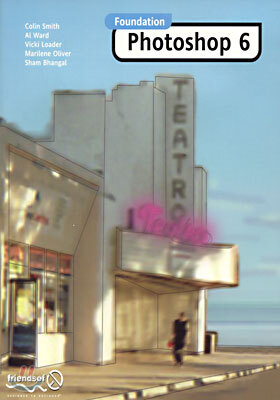
Foundation

책소개
목차
|
1. Welcome
2. Introducing Photoshop 3. Painting tools 4. Selection 5. Paths 6. Basic Layers 7. Color and Printing 8. Graphic Elements for the Web 9. Image Correction 10. Real World Filters 11. Advanced Layers 12. Advanced Web Design 13. Action and Automation 14. Printing and Output 15. Sourcing Artwork 16. Image File Type 17. Monitor Calibration |
품목정보
- 발행일
- 2001년 10월 01일
- 쪽수, 무게, 크기
- 648쪽 | 1105g | 크기확인중
- ISBN13
- 9781903450666
책 속으로
|
Whenever you work with an image in Photoshop, a tremendous amount of data gets shuffled around inside your computer's memory in order to present a useful (and current) representation of that image on the screen. Besides everything else that Photoshop needs in order to work its various shades of magic, every single pixel in every single layer has a number attached to it, describing properties such as color and opacity with extraordinary accuracy
--- p.295 |
사락 별점0
혜택 및 유의사항밑줄0
혜택 및 유의사항상품정보안내
직수입외서의 경우, 해외거래처에서 제공하는 정보가 부족하여 제목, 표지, 가격, 유통상태 등의 정보가 미비하거나 변경되는 경우가 있습니다. 정확한 확인을 원하시는 경우, 일대일 상담으로 문의하여 주시면 답변 드리겠습니다.
(판형과 판수 등이 다양한 도서는 찾으시는 도서의 ISBN을 알려 주시면 보다 빠르고 정확한 안내가 가능합니다.)
해외거래처에서 품절인 경우, 2차 거래선을 통해 유럽과 미국 출판사로 직접 수입이 진행될 수 있습니다.
수입 진행 시점으로 부터 2~3주가 추가로 소요되며, 해외에서도 유통이 원활하지 않은 도서는 품절 안내가 지연될 수 있습니다.
해당 경우, 문자와 메일로 별도 안내를 드리고 있사오니 마이페이지에서 휴대전화번호와 메일주소를 다시 한번 확인해주시기 바랍니다.
(판형과 판수 등이 다양한 도서는 찾으시는 도서의 ISBN을 알려 주시면 보다 빠르고 정확한 안내가 가능합니다.)
해외거래처에서 품절인 경우, 2차 거래선을 통해 유럽과 미국 출판사로 직접 수입이 진행될 수 있습니다.
수입 진행 시점으로 부터 2~3주가 추가로 소요되며, 해외에서도 유통이 원활하지 않은 도서는 품절 안내가 지연될 수 있습니다.
해당 경우, 문자와 메일로 별도 안내를 드리고 있사오니 마이페이지에서 휴대전화번호와 메일주소를 다시 한번 확인해주시기 바랍니다.
