
소득공제
- 베스트
- 건축 top100 22주
이미 소장하고 있다면 판매해 보세요.
- 국내배송만 가능
- 문화비소득공제 가능
DAMDI Academic series
-
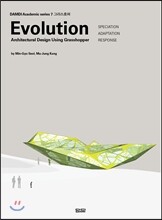
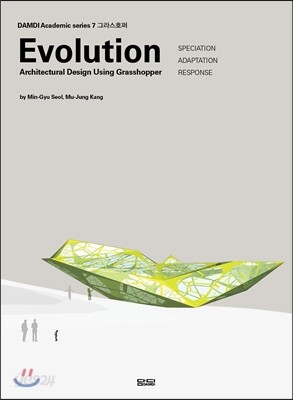
 그라스호퍼 (Evolution : Architectural Design Using Grasshopper) 이동그라스호퍼 (Evolution : Architectural Design Using Grasshopper)10% 29,700원
 -
건축 교육의 3단계 (3 STAGES of ARCHITECTURAL EDUCATION) 이동건축 교육의 3단계 (3 STAGES of ARCHITECTURAL EDUCATION)10% 22,500원
-
조경표현기법 Visual Communication for Landscape Architecture 이동조경표현기법 Visual Communication for Landscape Architecture5% 23,750원
-
인테리어 The Fundamentals of Interior Architecture 이동인테리어 The Fundamentals of Interior Architecture5% 23,750원
책소개
목차
|
SPECIATION: Iterative option study
1. BEHABIORAL INSPIRATION 1-1 Stackable side-dish box 1-2 Stacked breads 2. Stacking Planes 2-1 Scaling using Graph Mapper 2-2 Scaling + Rotating using Graph Mapper 3. Splitting Skin 3-1 Stepped Skin by Extruding 3-2 Sloped Skin by Intersecting 4. Skin Details 4-1 Mullions by Lunch Box ADAPTATION: Proportion of Elements 1. BEHAVIORAL INSPIRATION 1-1 Biology_Anatomy 1-2 Orange in a container 2. Skin&Intestine : creating & controlling surfaces 2-1 Volume from points using Voronoi 2-2 Inner Skin of a volume Interconnecting Outer Skin of a volume 3. Skeleton : extracting frames 3-1 Extracting Frames from edges of a volume 4. Data visualization & categorization 4-1 Area Calculation using Intersect RESPONSE: Mapping and Design 1. BEHAVIORAL INSPIRATION 1-1 Chameleon 1-2 Woolen fabric 2. Tentacles : mapping 2-1 porosity with gradient using line Attractor 2-2 porosity based on Image map 3. Stimulus : mapping lighting 3-1 optimizing geometry for insolation with Ecotect+Geco 3-2 optimizing geometry for insolation with Ecotect+Geco APPENDIX: Basic Walkthrough 1. Grasshopper Walkthrough 1-1 Downloading & Installing Grasshopper 1-2 Downloading & Installing Adds-ons 1-3 Launching Grasshopper 1-4 Grasshopper Interface 1-5 Linking Grasshopper Objects to Rhino 1-6 Grasshopper Objects & Wiring 1-7 List & Items 1-8 Data Tree 1-9 Objects & Grouping 1-10 Bake into Rhino 2. Ecotect+Geco Walkthrough 2-1 Downloading & Installing Autodesk Ecotect(Trial Version) 2-2 Linking Grasshopper to Ecotect using Geco 2-3 Converting Surface to Mesh for Exporting 2-4 Exporting Mesh to Ecotect 2-5 Importing Weather Data 2-6 Bring Calculation Result from Ecotect into Grasshopper |
저자 소개
저자 : 설민규
설민규는 네덜란드 델프트 공대에서 건축 석사과정으로 디지털 건축에 특화된 HYPERBODY 스튜디오에서 수학하고 mad architects에서 실무를 하였다. 지금은 HUSO architects에 재직 중이며 다수의 국내 대학교에서 건축 설계 및 디지털 건축 강의를 하며 활동 중이다.
저자 : 강무중
인제대학교에서 건축디자인을 전공하고 미국에 있는 Asymptote Architecture에서
실무를 시작했다. 지금은 중국 베이징에 mad arhcitects에서 디자이너로 활동 중이다.
실무를 시작했다. 지금은 중국 베이징에 mad arhcitects에서 디자이너로 활동 중이다.
관련 분류
- 카테고리 분류
품목정보
- 발행일
- 2016년 03월 16일
- 쪽수, 무게, 크기
- 448쪽 | 188*257*30mm
- ISBN13
- 9788968010392
사락 별점0
혜택 및 유의사항밑줄0
혜택 및 유의사항
29,700원
총 1개
29,700원
