
이미 소장하고 있다면 판매해 보세요.
- 해외배송 가능?
- 문화비소득공제 가능
관련 상품
[도서]
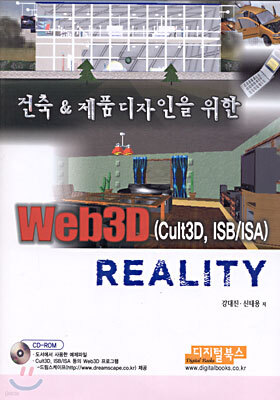
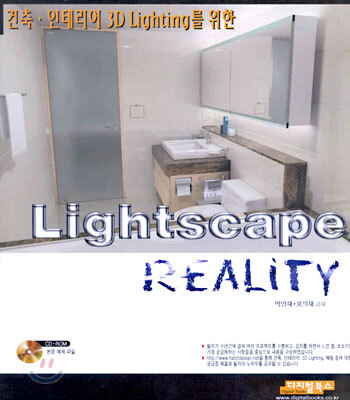
Lightscape Reality : 건축 · 인테리어 3D Lighting를 위한
박영재,홍의재 공저
디지털북스
10%
27,000원
책소개
목차
|
Part 1. Photoshop 기능 마스터
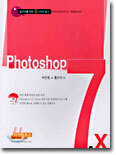
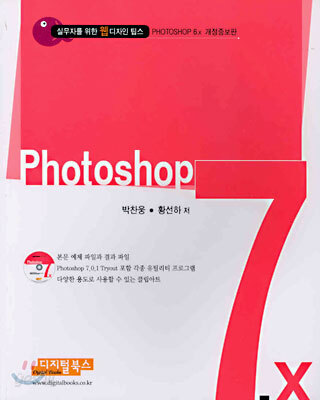
Chapter 1. Photoshop 7의 기초상식 Section 1. Photoshop 7에서 달라진 점들 Section 2. 포토샵 7.0.1의 화면 구성 Section 3. 이미지와 파일 포맷 Section 4. 새로워진 기능들 Chapter 2. 툴과 팔레트 마스터 Section 1. Selection Tool Section 2. Move Tool(V) Section 3. Lasso Tool/Polygonal Lasso Tool/Magnetic Lasso Tool(L) Section 4. Magic Wand Tool(W) Section 5. Crop Tool(C) Section 6. Slice Tool/Slice Select Tool(K) Section 7. Healing Brush/Patch Tool(J) Section 8. Brush Tool/Pencil Tool(B) Section 9. Clone Stamp Tool/Pattern Stamp Tool(S) Section 10. History Brush Tool/Art History Brush(Y) Section 11. Eraser Tool/Background Eraser Tool/Magic Eraser Tool(E) Section 12. Gradient Tool/Paint Bucket Tool(G) Section 13. Blur Tool/Sharpen Tool/Smudge Tool(R) Section 14. Dodge Tool/Burn Tool/Sponge Tool(O) Section 15. Path Component Selection Tool/Direct Selection Tool(A) Section 16. Type Tool(T) Section 17. Pen Tool(P) Section 18. Rectangle Tool/Rounded Rectangle Tool/Ellipse/Polygon Tool/Line Tool/Custom Shape Tool(U) Section 19. Notes Tool/Audio Annotation Tool(N) Section 20. Eyedropper Tool/Color Sampler Tool/Measure Tool(I) Section 21. Hand Tool(H) Section 22. Zoom Tool(Z) Chapter 3. 레이어(Layer) 마스터 Section 1. Layers 팔레트의 추가된 기능 Section 2. New (Layer)/Duplicate Layer/Delete Layer Section 3. Layer Properties/Layer Style Section 4. New Fill Layer/New Adjustment Layer Section 5. Add Layer Mask/Enable Layer Mask Section 6. Delete Layer/Disable Layer Clipping Path Section 7. Group Linked/Ungroup/Arrange/Align Linked/Distribute Linked Section 8. Lock All Linked Layers Section 9. Merge Linked/Visible/Down/Flatten Image Section 10. Palette Options Chapter 4. 채널(Channel) 마스터 Section 1. 채널의 기능 Section 2. 퀵 마스크 채널 작업하기 Section 3. 채널에서의 농도 조절 Section 4. 채널을 이용한 문자효과 Chapter 5. 필터(Filter) 마스터 Section 1. Extract Section 2. Liquify Section 3. Pattern Maker Section 4. Artistic Section 5. Blur Section 6. Brush Strokes Section 7. Distort Section 8. Noise Section 9. Pixelate Section 10. Render Section 11. Sharpen Section 12. Sketch Section 13. Stylize Section 14. Texture Section 15. Video Section 16. Other Section 17. Digimarc Part 2. 전문가로 도약하기 위한 워밍업 예제 Chapter 1. 문자 변형하기 Chapter 2. 패턴을 이용한 메조틴트 효과 Chapter 3. 태운 효과 Chapter 4. 조각한 듯한 효과 Chapter 5. 음각 효과 Chapter 6. 모래에 새긴 효과 Chapter 7. 모드를 이용한 불타는 효과 Chapter 8. 금속 문자 Chapter 9. 다양한 패턴 Section 1. 간단한 패턴 만들기 Section 2. Feather를 적용한 패턴 만들기 Section 3. 문자 패턴 만들기 Chapter 10. 포토 갤러리 Chapter 11. 섬유뭉치 질감 효과 Chapter 12. 문자디자인 - 쇳물글씨 Chapter 13. 돌 질감내기 Chapter 14. 물방울 만들기 Chapter 15. 시리즈 포스터 Part 3. 전문가의 필수 예제 Chapter 1. 이미지레디를 이용한 마스크효과 Chapter 2. 흑백 사진에 컬러링하기 Chapter 3. 광고 효과 Chapter 4. 습기 찬 창에 낙서하기 Chapter 5. 물로 쓴 글씨 Chapter 6. Book Design Chapter 7. 마스크 활용 - 새와 풍경의 조화 만들기 Chapter 8. 일러스트 Chapter 9. 외계인 만들기 Chapter 10. 스텐실 효과 만들기 Chapter 11. 계절 바꾸기 Chapter 12. 반사효과를 적용한 이미지합성 Part 4. 전문가 실무 활용 예제 Chapter 1. 빛의 표현 Chapter 2. 멀티미디어 디자인 Chapter 3. 도면 배치도 Chapter 4. 3D적인 물체들의 합성 Chapter 5. 재앙-장면조합 Chapter 6. 홈페이지 디자인 Chapter 7. 이미지에 조명효과 Part 5. Photoshop Add-on Chapter 1. Kai's Power Tool Section 1. KPT 6.0 Section 2. KPT effects(KPT 7.0) Chapter 2. Eye Candy 4000 Section 1. 아이캔디 설치하기 Section 2. Eye Candy 4000 필터 Chapter 3. Fireworks MX Section 1. Fireworks MX 설치하기 Section 2. 사용자 정의 팝업메뉴 만들기 Chapter 4. Photoshop 7.0.1 Tryout 설치/실행 |
관련 분류
- 카테고리 분류
품목정보
- 발행일
- 2003년 01월 31일
- 쪽수, 무게, 크기
- 680쪽 | 1558g | 크기확인중
- ISBN13
- 9788989109464
