
소득공제
수입
직수입양서
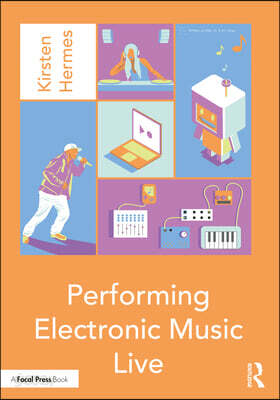
Performing Electronic Music Live
Paperback, 1st Edition, Illustrations, Color
Hermes, Kirsten
Focal Press
2021.12.29.
- 주문 제작 (POD) 도서로 제본 및 인쇄 품질이 다소 미흡할 수 있습니다 (해당 사유 반품 불가)
이미 소장하고 있다면 판매해 보세요.
- 국내배송만 가능
- 해외 거래처 사정에 의하여 품절/지연 가능
- 도서 정보 중 미표기 사항 안내?
- 문화비소득공제 가능
Audio Engineering Society Presents
-
 Recording Orchestra and Other Classical Music Ensembles 이동Recording Orchestra and Other Classical Music Ensembles10% 79,620원
-
Recording Orchestra and Other Classical Music Ensembles 이동Recording Orchestra and Other Classical Music Ensembles10% 308,630원
책소개
목차
|
Chapter 1 ? General Advice 1. The concept 2. Confidence and preparation 2.1 Effective rehearsal 2.2 Dealing with stage fright 2.3 Stepping into the performance persona 2.4 Using feedback and being prepared for rejection 3. Quality of the production 4. Factors that determine the setup choice 4.1 The music ? genre and composition 4.2 The act ? personality, motivation and skills 4.3 Band members and skills 4.4 The performance situation 4.4.1 The audience 4.4.2 The venue and playback system 4.4.3 Risk 4.4.4 Budget 4.4.5 Need for portability Tutorial and takeaway points 5. References Chapter 2 ? DAWs and Controllers 1. Non-linearity of time 2. Overview of performance DAWs 2.1 Ableton Live 2.2 Bitwig 2.3 Maschine 2.4 Logic Pro X 2.5 Motu Digital Performer 2.6 FL studio 2.7 Standalone hardware DAW equivalents 3. Plugging in hardware 3.1 Live arrangement 3.2 One-shots and finger drumming 3.3 Performing on software instruments 3.4 Controlling audio effects 3.5 Other external hardware 4. Prepared musical material and live recording 5. Collaboration 6. Randomness and generative approaches 7. Customising the performance interface 8. Performing live in more studio-oriented DAWs 9. Working with visuals 10. Recording the show Tutorial From a complex studio production to an intuitive live set Looping clips One-shots Follow actions Live effects Live keys and vocals Visuals 11. Takeaway points References Interview with Robert Henke Chapter 3 ? MIDI and CV Performance Controllers 1. CV/GATE 2. The MIDI protocol 2.1 MIDI messages in the MIDI 1 protocol 2.2 MIDI 2.0 3. Types of performance controllers 3.1 Buttons 3.2 Continuous signals: knobs, faders, sliders 3.3 Controllers that resemble traditional musical instruments. 3.4 Modular controllers 3.5 Motion-controlled performance hardware 3.6 Turning non-musical hardware into MIDI controllers 3.7 MIDI Polyphonic Expression 3.8 Sequencers 3.9 Clock signals and MIDI routing Tutorial 4. Takeaway points References Chapter 4 ? DJing and Turntablism 1. A short history of DJing 2. Types of DJ in the present day 2.1 Touring artist-DJs 2.2 Resident DJs 2.3 Mobile event DJs 2.4 Radio DJs 2.5 Online DJ-producers 3. DJ techniques 3.1 Mixing techniques and turntablism 3.2 Virtuoso turntablism 3.3 Effects and audio processing 3.4 Programming 4. DJ tools available today 4.1 DJ software and hardware controllers 4.2 CDJs 4.3 Going retro: using Vinyl for DJing 4.4 Headphones, monitors and microphones 4.5 Streaming tracks from online platforms Tutorial: three DJ setups presented by Dan Murray Preparation DJ skills and techniques Beatmatching on vinyl Getting creative on CDJs Working with a hybrid setup Performance styles 5. Takeaway points References Interview with Alex M.O.R.P.H Chapter 5 - Incorporating Acoustic Instruments and Vocals 1. Traditional instruments in electronic music 2. Fusion genres 3. Live instruments and vocals that are not on the record 4. Instruments that are on the record but not on stage 5. Microphones and DI boxes 6. Effects and sound manipulation 6.1 Vocal effects processing 6.2 Vocoders and talk boxes 6.3 Effects for other instruments Tutorial ? generated live vocal harmonies, violin and synth 7. Takeaway points References Interview with Matt Robertson Chapter 6 ? Live Synthesis and Sound Design 1. Synthesis technology 1.1 Synthesis techniques 1.1.1 Additive synthesis 1.1.2 Subtractive synthesis 1.1.3 FM synthesis 1.1.4 Waveshaping synthesis 1.1.5 Sampling 1.1.6 Granular synthesis 1.1.7 Wavetable synthesis 1.1.8 Physical modelling synthesis 1.2 Controls typically found on commercial synthesizers 1.2.1 Oscillators 1.2.2 Amplifier 1.2.3 Amplitude envelope 1.2.4 Filters 1.2.5 Modulation 1.2.6 Clock 1.2.7 Effects, sequencing and arpeggiators 1.2.8 Playback controls 2. A rich history of artists shaping their sound through synthesis 2.1 Retro-leaning synths used by current artists 3. A brief history of sampling 4. Using synths and samplers on stage 4.1 Playing live on hardware synthesizers and samplers 4.1.1 Choosing hardware synths 4.1.2 Working with pre-programmed sequences 4.1.3 Modular synthesizers on stage 4.2 Performing live with software synthesizers Tutorial 5. Takeaway points References Chapter 7 ? Performing without a Laptop 1. Building blocks of a laptop-free setup 1.1 Sound sources 1.2 Control signal generators 1.2.1 Clock signal generators 1.3 Control signal routing tools 1.4 Sound processors and effects 1.5 Mixers 2. All-in-one hardware tools 3. Cabling and connections Tutorial: a modular synthesizer setup (Matt Gooderson) Modular Systems Components of the Hardware Setup Melody Rhythm Sound Sources Utility Modules Multiple Quantiser Sample and Hold Mixer Audio Modifiers Composition and Performance 4. Takeaway points References Chapter 8 ? Programming Custom Performance Tools 1. Getting started with programming 1.1 What is a program? 1.2 What programming language should you learn? 2. Inspiring artist examples 2.1 Complete playback solutions 2.2 Effects plug-ins and software instruments 2.3 Expanding the functionality of hardware 2.4 Automatic performance tools 2.5 Letting the outside environment control the sound Tutorial: introducing BBC R&D’s Audio Orchestrator, featuring Jon Francombe and Stephen Davismoon How does Audio Orchestrator work? The Sequences page The Controls page The Audio page The Appearance page The Export page 3. Patch It: modular music programming environments 3.1 Max/MSP 3.2 Pure Data 3.3 Other node-based programming environments 3.4 Node-based programming in action 3.4.1 Effects processing 3.4.2 Generative music 3.4.3 Sampling and sequencing 3.4.4 Working with external hardware 3.4.5 Theatre shows Tutorial: generative music in Max / MSP, featuring Francesc Moya Serra First steps and audio output Metronome and timing Sound triggering with the select object Using MIDI notes to perform on a VST synth Random pitches in a subpatch Adding further complexity Random note velocities and durations Modulating synthesis parameters Fitting the random note pitches to a musical scale Percussion The performance GUI 4. Live coding: making EDM with algorithms Tutorial: an introduction to SuperCollider, featuring Eli Fieldsteel The interface Getting started Oscillator UGens Cross-fading between sounds Working with pre-recorded audio samples What else is possible in SuperCollider? 5. Takeaway Points References Interview with Holly Herndon Chapter 9 ? Building Custom Hardware Tools 1. New instruments built from scratch 2. The human body as musical instrument 3. Adding functionality to existing instruments 4. Performing music on toys and household items 5. How can you get started? Tutorial: Optical Theremin inside a Game Boy Shell with Rainbow Trash (Dominique Pelletier) What you will need Casing Electronics Testing connections Soldering connections Closing up the case Other things you can do... 6. Takeaway points References Chapter 10 ? The Performance Setting 1. Common live sound technology 2. The soundcheck 3. Live sound mixing 4. Spaces 4.1 Arenas and stadiums 4.2 Large Festivals 4.3 Nightclubs 4.4 Warehouse raves 4.5 Concert halls 4.6 Outdoor theatres 4.7 Small and intimate shows 4.8 Controlled acoustic spaces 4.9 Installations 4.10 Remote settings and streaming Tutorial: a large redundancy playback rig, featuring Steven Massey Stems for playback Uninterruptible power supply Redundancy playback rig Output routing via a split rack The monitor mix The live mix 5. Takeaway points References Interview with Laura Escude Chapter 11 ? Stage Design and Visual Parameters 1. Tools for creating visual interest 1.1 Moving visuals 1.2 Lighting 1.3 Dancing and acting 1.4 Fashion 1.5 Stage design 2. What determines the choice of visual stage parameters? 2.1 Artist identity 2.2 Visual parameters that convey a narrative 2.3 Creating an abstract connection between what is seen and heard 2.4 Amplifying performance parameters Tutorial 3. Takeaway points References Chapter 12 ? Planning and Promotion 1. Music branding principles 1.1 Artist identity 1.2 Target audience 2. Creating marketing materials 2.1 Visual materials 2.2 Biography 2.3 Press release 2.4 Website 2.4.1 A clear representation of the artist image 2.4.2 Layout and content 2.4.3 Search engine optimization 2.5 Social media 2.6 Hardcopy marketing materials 3. Networking and gig opportunities Tutorial: music industry Dos and Don’ts presented by Woody van Eyden Where am I now? Where do I want to be? What do I need to do to get there? Who can help me? What should I do in terms of networking? 4. Takeaway points References Chapter 13 ? Conclusion 1 What do electronic musicians do on stage? 2 What constitutes a great electronic music performance? 3 How do I choose the concept for my show? 3.1 A compelling Performance persona 3.2 Virtuosic skills 3.3 Technical know-how 3.4 A compelling performance setting 3.5 Liveness 3.6 Core values 3.7 Visual interest 4 What does my audience expect? 5 I am quite shy but I would like to perform live. What can I do? 6 I cannot play any instruments or sing. Can I still perform live? 7 Should I be a solo artist or form a band? 8 What kind of tools do I need to perform electronic music live? 9 There are so many different options. What is the right setup for me? 10 Who creates electronic performance equipment? 11 Where can I try out and buy performance equipment? 12 I produce music in a DAW. How can I turn this into a live show? 13 Should my live show sound like my record? 14 What does "live" mean? Should every sound be created in the moment, or are backing tracks acceptable? 15 Is it bad to mime and pretend that I am doing something on stage when I am not? 16 I have never produced any music. Where do I begin? 17 How should I prepare for my show? 17.1 Practice 17.2 Sound check 17.3 Feedback 18 How can I find gig opportunities? Thank you! |
관련 분류
품목정보
- 발행일
- 2021년 12월 29일
- 쪽수, 무게, 크기
- 276쪽 | 390g | 180*250mm
- ISBN13
- 9780367340735
사락 별점0
혜택 및 유의사항밑줄0
혜택 및 유의사항상품정보안내
직수입외서의 경우, 해외거래처에서 제공하는 정보가 부족하여 제목, 표지, 가격, 유통상태 등의 정보가 미비하거나 변경되는 경우가 있습니다. 정확한 확인을 원하시는 경우, 일대일 상담으로 문의하여 주시면 답변 드리겠습니다.
(판형과 판수 등이 다양한 도서는 찾으시는 도서의 ISBN을 알려 주시면 보다 빠르고 정확한 안내가 가능합니다.)
해외거래처에서 품절인 경우, 2차 거래선을 통해 유럽과 미국 출판사로 직접 수입이 진행될 수 있습니다.
수입 진행 시점으로 부터 2~3주가 추가로 소요되며, 해외에서도 유통이 원활하지 않은 도서는 품절 안내가 지연될 수 있습니다.
해당 경우, 문자와 메일로 별도 안내를 드리고 있사오니 마이페이지에서 휴대전화번호와 메일주소를 다시 한번 확인해주시기 바랍니다.
85,590원
총 1개
85,590원