
이미 소장하고 있다면 판매해 보세요.
- 국내배송만 가능
- 해외 거래처 사정에 의하여 품절/지연 가능
- 도서 정보 중 미표기 사항 안내?
- 문화비소득공제 가능
For Dummies
-
 Microsoft 365 Office All-in-One For Dummies 이동Microsoft 365 Office All-in-One For Dummies18% 55,330원
 -
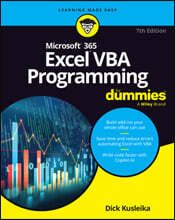
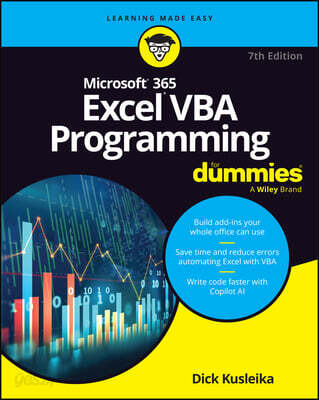
Microsoft 365 Excel VBA Programming For Dummies 이동Microsoft 365 Excel VBA Programming For Dummies18% 48,410원
책소개
목차
|
Introduction 1 Part1: Starting Excel VBA Programming 7 Chapter 1: Getting to Know VBA 9 Chapter 2: Building Simple Macros 17 Part2: Using VBA with Excel 29 Chapter 3: Working in the Visual Basic Editor 31 Chapter 4: Introducing the Excel Object Model 51 Chapter 5: VBA Sub and Function Procedures 65 Part3: Creating Code Automatically 81 Chapter 6: Using the Excel Macro Recorder 83 Chapter 7: Generating Code with Copilot 95 Part4: Programming Concepts 107 Chapter 8: Essential VBA Language Elements 109 Chapter 9: Working with Range Objects 131 Chapter 10: Using VBA and Worksheet Functions 147 Chapter 11: Controlling Program Flow and Making Decisions 163 Chapter 12: Automatic Procedures and Events 183 Chapter 13: Error-Handling Techniques 205 Chapter 14: Bug Extermination Techniques 217 Chapter 15: VBA Programming Examples 231 Part5: Communicating with Your Users 255 Chapter 16: Simple Dialog Boxes 257 Chapter 17: UserForm Basics 275 Chapter 18: Using UserForm Controls 293 Chapter 19: UserForm Techniques and Tricks 313 Chapter 20: Accessing Your Macros through the User Interface 341 Part6: Putting It All Together 355 Chapter 21: Creating Worksheet Functions 357 Chapter 22: Creating Excel Add-Ins 379 Part7: The Part of Tens 391 Chapter 23: Ten Handy Visual Basic Editor Tips 393 Chapter 24: Resources for VBA Help 403 Chapter 25: Ten VBA Do’s and Don’ts 409 Index 415 |
저자 소개
Dick Kusleika has more than 25 years’ experience helping Office users get the most out of Microsoft’s bestselling software. From online forums to blogs, books, and conferences, he delivers sound and straightforward advice to readers of all skill levels.
관련 분류
품목정보
- 발행일
- 2025년 02월 11일
- 쪽수, 무게, 크기
- 448쪽 | 185*234*30mm
- ISBN13
- 9781394292394
사락 별점0
혜택 및 유의사항밑줄0
혜택 및 유의사항상품정보안내
직수입외서의 경우, 해외거래처에서 제공하는 정보가 부족하여 제목, 표지, 가격, 유통상태 등의 정보가 미비하거나 변경되는 경우가 있습니다. 정확한 확인을 원하시는 경우, 일대일 상담으로 문의하여 주시면 답변 드리겠습니다.
(판형과 판수 등이 다양한 도서는 찾으시는 도서의 ISBN을 알려 주시면 보다 빠르고 정확한 안내가 가능합니다.)
해외거래처에서 품절인 경우, 2차 거래선을 통해 유럽과 미국 출판사로 직접 수입이 진행될 수 있습니다.
수입 진행 시점으로 부터 2~3주가 추가로 소요되며, 해외에서도 유통이 원활하지 않은 도서는 품절 안내가 지연될 수 있습니다.
해당 경우, 문자와 메일로 별도 안내를 드리고 있사오니 마이페이지에서 휴대전화번호와 메일주소를 다시 한번 확인해주시기 바랍니다.
(판형과 판수 등이 다양한 도서는 찾으시는 도서의 ISBN을 알려 주시면 보다 빠르고 정확한 안내가 가능합니다.)
해외거래처에서 품절인 경우, 2차 거래선을 통해 유럽과 미국 출판사로 직접 수입이 진행될 수 있습니다.
수입 진행 시점으로 부터 2~3주가 추가로 소요되며, 해외에서도 유통이 원활하지 않은 도서는 품절 안내가 지연될 수 있습니다.
해당 경우, 문자와 메일로 별도 안내를 드리고 있사오니 마이페이지에서 휴대전화번호와 메일주소를 다시 한번 확인해주시기 바랍니다.
48,410원
총 1개
48,410원
