


이미 소장하고 있다면 판매해 보세요.
- 해외배송 가능?
- 문화비소득공제 가능
에이콘- 오픈소스 프로그래밍 시리즈

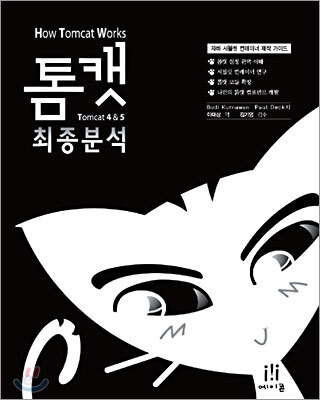
책소개
목차
|
역자서문
1장 간단한 웹 서버 1.HyperText Transfer Protocol (HTTP) -HTTP 요청 -HTTP 응답 2.Socket 클래스 3.ServerSocket 클래스 4.애플리케이션 -HttpServer 클래스 -Request 클래스 -Response 클래스 -애플리케이션 실행하기 2장 간단한 서블릿 컨테이너 1.javax.servlet.Servlet 인터페이스 2.애플리케이션 1 -HttpServer1 클래스 -Request 클래스 -Response 클래스 -StaticResourceProcessor 클래스 -ServletProcessor1 클래스 -애플리케이션 실행하기 3.애플리케이션 2 -애플리케이션 실행하기 4.요약 3장 커넥터 1.StringManager 클래스 2.애플리케이션 -애플리케이션의 구동 -커넥터 -HttpRequest 객체 생성하기 -소켓의 입력 스트림 읽기 -요청 라인의 파싱 -헤더의 파싱 -쿠키의 파싱 -파라미터 얻기 -HttpResponse 객체 생성하기 -정적 자원과 서블릿의 처리 -애플리케이션 실행하기 3.요약 4장 톰캣의 기본 커넥터 1.HTTP 1.1의 새로운 특징 -지속 연결 -청크 인코딩 -100 (Continue) 상태 코드의 사용 2.Connector 인터페이스 3.HttpConnector 클래스 -서버 소켓의 생성 -HttpProcessor 인스턴스의 관리 -HTTP 요청의 공급 4.HttpProcessor 클래스 5.요청 객체 6.응답 객체 7.요청 처리 -연결 정보의 파싱 -요청의 파싱 -헤더의 파싱 8.간단한 컨테이너 애플리케이션 -애플리케이션 실행하기 9.요약 5장 컨테이너 1.Container 인터페이스 2.파이프라인 태스크 -Pipeline 인터페이스 -Valve 인터페이스 -ValveContext 인터페이스 -Contained 인터페이스 3.Wrapper 인터페이스 4.Context 인터페이스 5.래퍼 애플리케이션 -ex05.pyrmont.core.SimpleLoader -ex05.pyrmont.core.SimplePipeline -ex05.pyrmont.core.SimpleWrapper -ex05.pyrmont.core.SimpleWrapperValve -ex05.pyrmont.valves.ClientIPLoggerValve -ex05.pyrmont.valves.HeaderLoggerValve -ex05.pyrmont.startup.Bootstrap1 -애플리케이션 실행하기 6.컨텍스트 애플리케이션 -ex05.pyrmont.core.SimpleContextValve -ex05.pyrmont.core.SimpleContextMapper -ex05.pyrmont.core.SimpleContext -ex05.pyrmont.startup.Bootstrap2 -애플리케이션 실행하기 7.요약 6장 생명주기 1.Lifecycle 인터페이스 2.LifecycleEvent 클래스 3.LifecycleListener 인터페이스 4.LifecycleSupport 클래스 5.애플리케이션 -ex06.pyrmont.core.SimpleContext -ex06.pyrmont.core.SimpleContextLifecycleListener -ex06.pyrmont.core.SimpleLoader -ex06.pyrmont.core.SimplePipeline -ex06.pyrmont.core.SimpleWrapper -애플리케이션 실행하기 6.요약 7장 로거 1.Logger 인터페이스 2.톰캣의 로거 -LoggerBase 클래스 -SystemOutLogger 클래스 -SystemErrLogger 클래스 -FileLogger 클래스 -open 메소드 -close 메소드 -log 메소드 3.애플리케이션 4.요약 8장 로더 1.자바 클래스 로더 2.Loader 인터페이스 3.Reloader 인터페이스 4.WebappLoader 클래스 -클래스 로더의 생성 -저장소의 설정 -클래스 경로의 설정 -접근 권한의 설정 -자동 재로딩을 위한 새로운 스레드의 시작 5.WebappClassLoader 클래스 -캐싱 -클래스의 로딩 6.애플리케이션 -애플리케이션 실행하기 7.요약 9장 세션 관리 1.세션 -Session 인터페이스 -StandardSession 클래스 -StandardSessionFacade 클래스 2.매니저 -Manager 인터페이스 -ManagerBase 클래스 -StandardManager 클래스 -PersistentManagerBase 클래스 -스왑 아웃 -백업 -PersistentManager 클래스 -DistributedManager 클래스 3.Store 인터페이스 -StoreBase 클래스 -FileStore 클래스 -JDBCStore 클래스 4.애플리케이션 -Bootstrap 클래스 -SimpleWrapperValve 클래스 -애플리케이션 실행하기 5.요약 10장 보안 1.Realm 2.GenericPrincipal 3.LoginConfig 4.Authenticator 5.인증자 밸브의 설치 6.애플리케이션 -ex10.pyrmont.core.SimpleContextConfig 클래스 -ex10.pyrmont.realm.SimpleRealm 클래스 -ex10.pyrmont.realm.SimpleUserDatabaseRealm 클래스 -ex10.pyrmont.startup.Bootstrap1 클래스 -ex10.pyrmont.startup.Bootstrap2 클래스 -애플리케이션 실행하기 7.요약 11장 StandardWrapper 1.메소드 호출 순서 2.SingleThreadModel 3.StandardWrapper -서블릿 할당 -서블릿 로드 -ServletConfig 객체 -부모와 자식 관계 4.StandardWrapperFacade 5.StandardWrapperValve 6.FilterDef 7.ApplicationFilterConfig 8.ApplicationFilterChain 9.애플리케이션 -애플리케이션 실행하기 10.요약 12장 StandardContext 1.StandardContext의 설정 -StandardContext 클래스의 생성자 -StandardContext의 시작 -Invoke 메소드 2.StandardContextMapper 3.재로딩 지원 4.backgroundProcess 메소드 5.요약 13장 호스트와 엔진 1.Host 인터페이스 2.StandardHost 3.StandardHostMapper 4.StandardHostValve 5.호스트 없이는 못살아 6.애플리케이션 1 -애플리케이션 실행 7.Engine 인터페이스 8.StandardEngine 9.StandardEngineValve 10.애플리케이션 2 -애플리케이션 실행하기 11.요약 14장 서버와 서비스 1.서버 2.StandardServer -initialize 메소드 -start 메소드 -stop 메소드 -await 메소드 3.서비스 4.StandardService -컨테이너와 커넥터 -생명주기 관련 메소드 5.애플리케이션 -Bootstrap 클래스 -Stopper 클래스 -애플리케이션 실행하기 6.요약 15장 다이제스터 1.다이제스터 - Digester 클래스 - 다이제스터 예제 1 - 다이제스터 예제 2 - Rule 클래스 - 다이제스터 예제 3: RuleSet의 활용 2.ContextConfig - defaultConfig 메소드 - applicationConfig 메소드 - 웹 다이제스터의 생성 3.애플리케이션 - 애플리케이션 실행하기 4.요약 16장 종료 후크 1.종료 후크 예제 2.톰캣에서의 종료 후크 3.요약 17장 톰캣의 기동 1.Catalina 클래스 - start 메소드 - stop 메소드 - 시작 다이제스터 - 중지 다이제스터 2.Bootstrap 클래스 3.윈도즈에서의 톰캣 실행 - 배치파일의 작성법 소개 4.catalina.bat 배치 파일 - 윈도즈에서의 톰캣 시작 - 윈도즈에서의 톰캣 중지 5.유닉스/리눅스에서의 톰캣 실행 - 유닉스/리눅스 쉘 스크립트의 작성 방법 소개 - 유닉스/리눅스에서의 톰캣 시작 - 유닉스/리눅스에서의 톰캣 중지 6.요약 18장 배치자 1.웹 컨텍스트의 배치 - 설명자의 배치 - WAR 파일의 배치 - 디렉토리의 배치 - 실시간 배치 2.Deployer 인터페이스 3.StandardHostDeployer 클래스 - 설명자의 설치 - WAR 파일과 디렉토리의 설치 - 컨텍스트의 시작 - 컨텍스트의 중지 4.요약 19장 관리자 서블릿 1.관리자 애플리케이션의 사용 2.ContainerServlet 인터페이스 3.ManagerServlet의 초기화 4.배치된 웹 애플리케이션 목록 5.웹 애플리케이션 시작 6.웹 애플리케이션 중지 7.요약 20장 JMX 기반의 관리 1.JMX 소개 2.JMX API - MBeanServer 인터페이스 - ObjectName 클래스 3.표준 MBean 4.모델 MBean - ObjectName 클래스 - ModelMBean 예제 5.커먼스 모델러 - MBean 설명자 - 사용자만의 모델 MBean 클래스 작성 - Registry 클래스 - ManagedBean 클래스 - BaseModelMBean 클래스 - 모델러 API의 사용 6.카탈리나의 MBean - ClassNameMBean - StandardServerMBean - MBeanFactory - MBeanUtil 7.카탈리나에서의 MBean 생성 8.애플리케이션 9.요약 Index |
저자 소개
저자 : Budi Kurniawan
Budi Kurniawan은 인터넷 및 객체 지향 프로그래밍 분야의 전문 IT 컨설턴트이며 'Java for the Web with Servlets, JSP, and EJB (NewRiders, 2002)'의 저자다. 그는 다수의 컴퓨터 서적 이외에도 10권 이상의 출판물 java.net, JavaPro, JavaWorld, www.onjava.com 등에 100개가 넘는 글을 기고해 왔다. 전세계적으로 많은 대기업에서 라이센스를 구매해 사용하고 있는 Brainysoftware.com의 File Upload Bean도 그의 작품이다.
역자 : 이태상 (taesang@gmail.com)
연세대학교 자연과학부를 졸업하고, 현재는 ㈜이인티그레이션에서 WebSphere 전문 엔지니어로 재직중이다. 약 20여개의 기업체에서 J2EE 애플리케이션 개발 교육을 진행해왔다. 저서로는 『Practical EJB Programming with IBM WebSphere (2001)』이 있으며, 현재 국내 WebSphere/Rational 사용자를 위한 사이트인 이클립시언즈닷넷(http://eclipsians.net)을 운영하고 있다. 최근에는 SOA 기반의 EAI 솔루션에 대한 많은 관심을 갖고 연구하고 있다.
품목정보
- 발행일
- 2005년 02월 12일
- 쪽수, 무게, 크기
- 480쪽 | 995g | 188*257*30mm
- ISBN13
- 9788989975564
