


이미 소장하고 있다면 판매해 보세요.
- 국내배송만 가능
- 문화비소득공제 가능
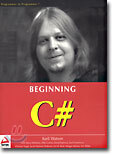
BEGINNING
-
 Beginning JSP 2: From Novice to Professional 이동Beginning JSP 2: From Novice to Professional67,980원
 -
Beginning SQL Server 2000 DBA: From Novice to Professional 이동Beginning SQL Server 2000 DBA: From Novice to Professional84,980원
책소개
목차
|
Introduction
1. Introducing C# 2. Writing a C# Program 3. Variables and Expressions 4. Flow Control 5. More About Variables 6. Functions 7. Debugging and Error Handling 8. Introduction to Object-Oriented Programming 9. Defining Classes 10. Defining Class Members 11. More About Classes 12. Events 13. Using Windows Form Controls 14. Advanced Windows Forms Features 15. Using Dialogs 16. Introduction to GDI+ 17. Deploying Windows Applications 18. Getting At Your Data 19. Data Access with ADO.NET 20. Working With Files 21. .NET Assemblies 22. Attributes 23. Web Programming Basics 24. ASP.NET Applications 25. Web Services Case Study 1. Web Site Poll Case Study 2. An Online Newsletter Manager Appendix A: Setting the PATH Environment Variable Appendix B: Installing MSDE Appendix C: C# Compilation Options Index C#Today Article: Building An Online Shopping Cart Using C# |
관련 분류
- 카테고리 분류
품목정보
- 발행일
- 2001년 09월 01일
- 쪽수, 무게, 크기
- 1031쪽 | 1661g | 크기확인중
- ISBN13
- 9781861004987
책 속으로
|
The Designer also offers you a bunch of tools ot make building a web site easier. In effect, this means that you can build web pages as if you were using Microsoft Word to write a letter. However, the tools offered to you by the Designer are quite restrictive as they are aimed at people who are only interested in designing web interfaces and not in programming. I think I can be confident in saying that as you have progressed this far in the book that you enjoy writing computer software, so we're going to go "old school" and build our pages in HTML. If you are unsure about how to program HTML, see the previous chapter to refresh your mind on basic HTML before continuing.
--- p.770 |
사락 별점0
혜택 및 유의사항밑줄0
혜택 및 유의사항상품정보안내
직수입외서의 경우, 해외거래처에서 제공하는 정보가 부족하여 제목, 표지, 가격, 유통상태 등의 정보가 미비하거나 변경되는 경우가 있습니다. 정확한 확인을 원하시는 경우, 일대일 상담으로 문의하여 주시면 답변 드리겠습니다.
(판형과 판수 등이 다양한 도서는 찾으시는 도서의 ISBN을 알려 주시면 보다 빠르고 정확한 안내가 가능합니다.)
해외거래처에서 품절인 경우, 2차 거래선을 통해 유럽과 미국 출판사로 직접 수입이 진행될 수 있습니다.
수입 진행 시점으로 부터 2~3주가 추가로 소요되며, 해외에서도 유통이 원활하지 않은 도서는 품절 안내가 지연될 수 있습니다.
해당 경우, 문자와 메일로 별도 안내를 드리고 있사오니 마이페이지에서 휴대전화번호와 메일주소를 다시 한번 확인해주시기 바랍니다.
(판형과 판수 등이 다양한 도서는 찾으시는 도서의 ISBN을 알려 주시면 보다 빠르고 정확한 안내가 가능합니다.)
해외거래처에서 품절인 경우, 2차 거래선을 통해 유럽과 미국 출판사로 직접 수입이 진행될 수 있습니다.
수입 진행 시점으로 부터 2~3주가 추가로 소요되며, 해외에서도 유통이 원활하지 않은 도서는 품절 안내가 지연될 수 있습니다.
해당 경우, 문자와 메일로 별도 안내를 드리고 있사오니 마이페이지에서 휴대전화번호와 메일주소를 다시 한번 확인해주시기 바랍니다.
