
이미 소장하고 있다면 판매해 보세요.
- 해외배송 가능?
- 문화비소득공제 가능
이 상품의 시리즈 19
이 상품의 시리즈 알림신청



책소개
목차
|
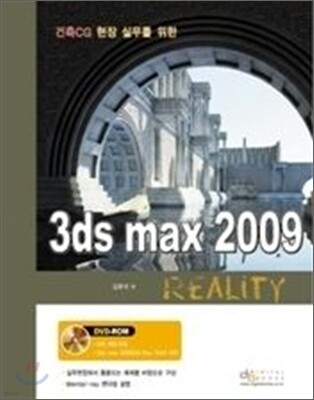
Chapter 01. 3ds max 2009의 기본 명령
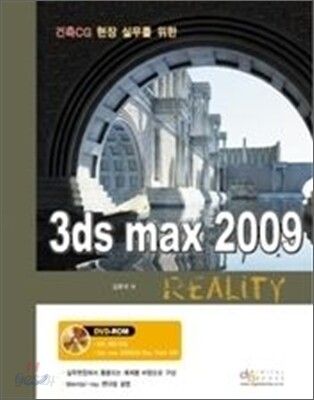
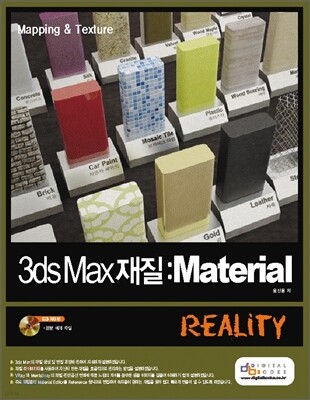
Lesson 01. 3ds max 2009 기본 명령 및 화면구성 Section 01_Main toolbar Lesson 02. 3D Geometry Section 01_Standard Primitives Section 02_Extended Primitives Section 03_Compound Objects Section 04_Particle Systems Section 05_Patch Gride Section 06_NURBS Surfaces Section 07_Doors Section 08_Windows Section 09_AEC Extended Section 10_Dynamics Objects Section 11_Stairs Lesson03. Edit / Editable Spline Section 01_Rendering (2D Shape의 공통 옵션) Section 02_Selection (2D Shape의 공통 옵션) Section 03_Soft Selection (2D Shape의 공통 옵션) Section 04_Vertex Section 05_Segment Section 06_Spline Lesson04. Edit / Editable Poly Section 01_Selection Section 02_Edit Geometry Section 03_Vertex Level Section 04_Edge Level Section 05_Border Level Section 06_Polygon, Element Level Section 07_Polygon Properties Lesson 05. Viewport Control Section 01_Viewport의 크기 조정 Section 02_Viewport의 단축키 Section 03_마우스를 이용한 viewport 조정 Section 04_Viewport Rendering Level Section 05_View Cube Section 06_Steering Wheels Lesson 06. Material Editor Section 01_Material Editor 아이콘의 기능 Section 02_Shader Basic Parameters Lesson 07. 3ds max 2009 Lights Section 01_Standard Light Section 02_Photometric Light Section 03_System Section 04_Light에 따른 옵션 Section 05_Sky Light Section 06_Photometric Light Section 07_Day Lights Lesson 08. Camera Section 01_Parameters Section 02_Depth of Field Parameters Chapter 02. Mental Ray Render Lesson 01. Mental Ray란? Lesson 02. Mental Ray Render Lesson 03. Mental Ray 기본으로 설정하기 Lesson 04. Render Scene을 이용한 Mental Ray 설정하기 Lesson 05. Mental Ray Render Sampling Quality Lesson 06. Final Gather Section 01_예제를 통한 Final Gather 알아보기 Lesson 07. Global Illumination Section 01_예제를 통해 Global Illumination 알아보기 Lesson 08. Environment and Effects Section 01_Exposure Control > mr Photographic Exposure Control Section 02_mr Photographic Exposure Control Lesson 09. Arch & Design Material Section 01_Template Section 02_Main material Parameters Section 03_Reflection Section 04_Special Effects Lesson 10. mr Sky Portal Section 01_mr Skylight Portal Parameters Section 02_Advanced Parameters Chapter 03. 3ds max 2009 Architecture Modering 시작을 위한 환경설정 Lesson 01. Unit의 설정 Lesson 02. Display Unit Scale Lesson 03. System Unit Setup Lesson 04. Snaps의 설정 Lesson 05. Preferences의 설정 Lesson 06. Auto Backup의 시간 설정 Lesson 07. 그래픽의 설정 Lesson 08. Modifier의 설정 Lesson 09. 3ds max 2009 Interface의 설정 Section 01_Keyboard(단축키) 설정 Section 02_Quads Box 설정 Section 03_Interface Color 설정 Section 04_Mantal ray Render 기본으로 설정하기 Chapter 04 전망 좋은 화장실 Chapter 05 포근한 거실 Chapter 06 전망 좋은 레스토랑 Chapter 07 전원주택 인테리어 Chapter 08 로비 만들기 Chapter 09 낡고 오래된 건축물 만들기 |
관련 분류
- 카테고리 분류
품목정보
- 발행일
- 2008년 08월 25일
- 쪽수, 무게, 크기
- 292쪽 | 958g | 210*297*20mm
- ISBN13
- 9788960880375
