
이미 소장하고 있다면 판매해 보세요.
- 해외배송 가능?
- 문화비소득공제 가능
이 상품의 시리즈 19
이 상품의 시리즈 알림신청

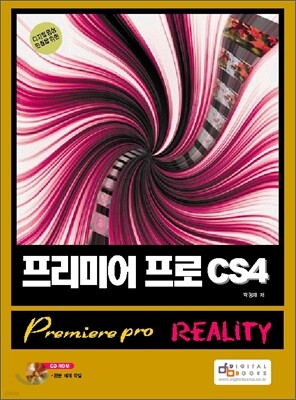
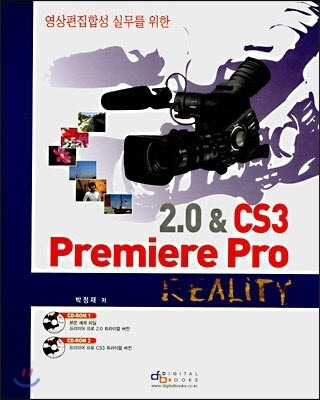

목차
|
PART 01. 디지털영상편집을 위한 기본개념 14
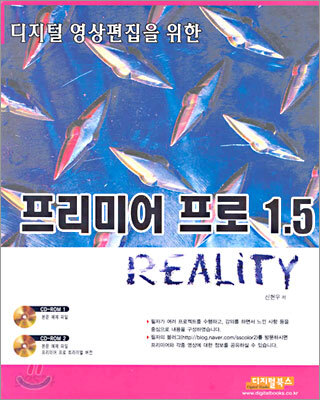
Chapter 01 지털영상편집의 개념 16 Lesson 01 디지털영상편집의 정의 17 Section 01. 영상편집 17 Section 02. 디지털영상편집 17 Section 03. 리니어(Linear)와 넌리니어(Non-Linear) 18 Section 04. 디지털영상편집 작업순서(Work Flow) 19 Lesson 02 NTSC규격에 기초한 영상 19 Section 01. NTSC / PAL / SECAM 19 Section 02. NTSC 포맷(Format) 20 Section 03. 코덱(CODEC) 20 Section 04. DV 코덱(CODEC) 21 Lesson 03 영상을 표시하는 단위 타임코드(Timecode) 21 Section 01. Timecode의 정의 21 Section 02. Timecode 표시법과 읽는 법 21 Section 03. Timecode 계산 하는 법 23 Chapter 02 DV 캠코더와 디지털영상 24 Lesson 01 IEEE 1394와 DV 캠코더 25 Section 01. IEEE 1394 25 Section 02. DV 캠코더 25 Lesson 02 실시간 편집을 위한 장비 알아보기 26 Section 01. 실시간 편집과 실시간 프리뷰 26 Section 02. 실시간 편집을 위한 편집 장비들 26 PART 02 프리미어프로를 위한 기본개념 28 Chapter 01 프리미어프로 이건 알고 들어가야죠. 30 Lesson 01 기본시스템 요구 사양 31 Section 01. 기본시스템사양 31 Section 02. 권장사양 31 Lesson 02 프리미어프로가 데이터(Data)를 구성하는 원리 - prproj의 원리 Section 01. 프리미어프로 파일)은 왜 size가 작을까? 32 Section 02. 디지털 영상편집은 왜 하드디스크의 속도가 중요한가? 34 Section 03. Import와 Open의 차이 35 Chapter 02 프리미어프로 이제 시작해봅시다. 36 Lesson 01 영상에서 말하는 소스(Source)란? 37 Lesson 02 프리미어프로에서 클립(Clip) 이란? 37 Lesson 03 프리미어프로에서 트랙(Track) 이란? 38 Lesson 04 프리미어프로에서 시퀀스(Sequence)란? 38 Chapter 03 프리미어프로 일단 한번 둘러봅시다. 40 Lesson 01 인터페이스 훑어보기-window 3총사 41 Lesson 02 마우스 드래그를 이용한 수치 값 조절 42 Lesson 03 탭의 활용 42 Lesson 04 작지만 소홀히 할 수 없는 서브메뉴 버튼 43 Lesson 05 타임라인의 빨간줄 44 Lesson 06 Save Workspace를 이용한 나만의 인터페이스 45 PART 03 프리미어프로 인터페이스 살펴보기 46 Chapter 01 프리미어프로 이렇게 작업합니다. 48 Chapter 02 Project Window 다루기. 54 Lesson 01 프로젝트윈도우 둘러보기 55 Section 01. 프로젝트윈도우의 기본 기능 55 Section 02. 소스 불러오기(import) 55 Section 03. Import된 클립들의 정보 읽기 57 Section 04. List View와 Icon View 58 Section 05. Poster Frame으로 특정 프레임을 아이콘(Icon)으로 만들기 58 Section 06. Bin을 이용한 클립 정리 59 Section 07. Import된 클립소스 지우기와 찾기 60 Lesson 02 프로젝트 윈도우의 편집 기능 60 Section 01. 타임라인(Timeline)으로 클립 내보내기 60 Section 02. 인서트(Insert)와 오버레이(Overlay) 65 Section 03. 스토리보드 기능의 활용(Automate to Sequence) 65 Chapter 03 Timeline Window 다루기. 68 Lesson 01 타임라인 둘러보기. 69 Section 01. 타임 룰러 (Time Ruler) 69 Section 02. 현재 시간표시자 (Current Time Indicator) 70 Section 03. 네비게이터(Navigator) 버튼 활용 70 Lesson 02 트랙(Track) 다루기 71 Section 01. 트랙(Track) 크게 보기와 작게 보기 72 Section 02. 트랙(Track) 추가와 제거 73 Section 03. Set Display Style 74 Section 04. Show Keyframes 76 Lesson 03 시간 이동하기 77 Section 01. 재생(Play) 하기 77 Section 02. 한 프레임씩 이동 78 Section 03. 5프레임씩 이동 78 Lesson 04 타임라인에서 영상 주무르기 78 Section 01. 영상 늘이고 줄이기 79 Section 02. 편집된 영상의 순서 바꾸기. 82 Section 03. 인서트편집과 오버레이편집 83 Section 04. Copy와 Paste의 활용 85 Section 05. 스냅(Snap)을 이용한 정밀 편집 87 Lesson 05 구간 지정 88 Section 01. 구간 지정은 왜 필요한가? 88 Section 02. Work Area 89 Section 03. IN / OUT Point 89 Lesson 06 시퀀스(Sequence)간의 편집 90 Section 01. 새로운 개념 시퀀스(Sequence) 91 Section 02. 시퀀스의 활용 91 Lesson 07 마커(Marker) 94 Section 01. 마커의 정의 95 Section 02. 마커의 활용 95 Chapter 04 Monitor Window 다루기. 98 Lesson 01 기본 인터페이스 살펴보기 99 Lesson 02 듀얼뷰(Dual View)와 싱글뷰(Single View) 102 Lesson 03 기타 유용한 윈도우들 살펴보기 103 Lesson 04 Safe Margins 105 Lesson 05 모니터윈도우의 기타 기능들 106 Chapter 05 Trim Mod로 영상 다듬기 108 Lesson 01 트림 윈도우 인터페이스 살펴보기 109 Lesson 02 트림으로 타임라인 다듬기 112 Chapter 06 Effect Window 다루기. 114 Lesson 01 이펙트윈도우(EffectWindow) 둘러보기. 115 Lesson 02 New Custom Bin을 이용한 나만의 이펙트 정리. 121 Chapter 07 Transition Window 다루기. 124 Lesson 01 트랜지션(Transition) 둘러보기. 125 Lesson 02 페이드인(Fade IN)과 페이드아웃(Fade Out) 126 Lesson 03 이펙트컨트롤 윈도우(Effect Control Window) 사용하기. 127 Chapter 08 ToolBox 다루기. 128 Lesson 01 Selection Tool 129 Lesson 02 Track Selection Tool 130 Lesson 03 Ripple Edit Tool 131 Lesson 04 Rolling Edit Tool 132 Lesson 05 Rate Stretch Tool 132 Lesson 06 Razor Tool 133 Lesson 07 Slip Tool 134 Lesson 08 Slide Tool 135 Lesson 09 Pen Tool 135 Lesson 10 Hand Tool 136 Lesson 11 Zoom Tool 136 PART 04 합성기법으로 영상에 맛내기 138 Chapter 01 자막(Super Imporse) 다루기 140 Lesson 01 타이틀윈도우 인터페이스 살펴보기 141 Section 01. Type Tools 145 Section 02. Properties 149 Section 03. Fill 150 Section 04. Strokes 151 Section 05. Shadow 151 Section 06. Transform 152 Section 07. 상단메뉴 152 Lesson 02 자막의 수정과 복사 153 Chapter 02 Key를 활용한 합성. 154 Lesson 01 Key 작업의 필요성 155 Lesson 02 Alpha Key 155 Lesson 03 Blue Screen Key과 Green Screen Key 157 Lesson 04 Chroma Key 159 Lesson 05 Luma Key 160 Chapter 03 Track matte Key를 활용한 합성. 162 Lesson 01 Track Matte의 정의 163 Lesson 02 트랜지션을 이용한 Track Matte 소스제작법 166 Lesson 03 외부 이미지를 이용한 Track Matte 소스제작법. 167 PART 05 다양한 이펙트 다루기 170 Chapter 01 비디오이펙트(Video Effects) 171 Lesson 01 비디오이펙트 적용하기 172 Section 01. 기본사용법 익히기 173 Section 02. Presets 활용하기 174 Lesson 02 비디오이펙트 살펴보기 176 Section 01. Adjust 176 Section 02. Blur & Sharpen 183 Section 03. Channel 188 Section 04. Distort 194 Section 05. Image Control 200 Section 06. Keying 206 Section 07. Noise 214 Section 08. Perspective 216 Section 09. Pixelate 219 Section 10. Render 220 Section 11. Stylize 226 Section 12. Time 233 Section 13. Transform 233 Section 14. Transition 237 Section 15. Video 242 Chapter 02 비디오 트랜지션(Video Transitions) 242 Lesson 01 트랜지션 이펙트 적용하기 243 Section 01. 기본 사용법 익히기 243 Section 02. 지속시간(Duration) 변경하기 245 Section 03. 트랜지션 유형 살펴보기 246 Lesson 02 트랜지션 이펙트 살펴보기 248 Section 01. 3D Motion 248 Section 02. Dissolve 252 Section 03. Iris 254 Section 04. Map 256 Section 05. Page Peel 257 Section 06. Slide 259 Section 07. Special Effect 263 Section 08. Stretch 264 Section 09. Wipe 266 Section 10. Zoom 272 Chapter 03 오디오 이펙트(Audio Effects) 적용하기 274 Lesson 01 오디오 이펙트 적용하기 275 Lesson 02 오디오 트랜지션(Audio Transitions) 280 PART 06 캠코더에서 영상 가져오기와 내보내기 282 Chapter 01 DV 캠코더에서 캡쳐 하기 284 Lesson 01 Capture의 개념 이해하기 285 Lesson 02 DV캠코더에서 캡쳐하기 285 Lesson 03 Capture Setting 하기 286 Lesson 04 배치 캡쳐 (Batch Capture) 290 Lesson 05 Scene Detect를 이용한 자동트림(Trim) 293 Chapter 02 Export (타임라인 내보내기) 294 Lesson 01 Export 기본 설정법 295 Lesson 02 내 컴퓨터로 내보내기 295 Lesson 03 한 장의 그림으로 내보내기 299 Lesson 04 Audioa만 내보내기 299 PART 07 실전예제 300 Chapter 01 색상보정으로 영상색깔 다듬기 302 Chapter 02 트랜지션(random block)을 이용한 멀티큐브 화면 만들기 308 Chapter 03 해상도(resolution) 차이를 이용한 애니메이션 만들기 314 Chapter 04 프레임홀드(Frame Hold)를 이용한 잔상효과 320 Chapter 05 속성 붙여넣기(Paste Attribute)를 이용한 Text 애니메이션 324 Chapter 06 필름스트립(Filmstrip)을 이용한 동영상에 페인팅(Painting)하기 334 Chapter 07 TV방송 타이틀(Title) 만들기 338 |
관련 분류
- 카테고리 분류
품목정보
- 발행일
- 2004년 09월 20일
- 쪽수, 무게, 크기
- 370쪽 | 1169g | 210*297*30mm
- ISBN13
- 9788989109679
